BACK
client: Meristem Nigeria
website: ———.com
MRPSL Portal & Mobile App — Interface Design Case Study
MRPSL (Meristem Registrars & Probate Services Limited) required a secure, scalable digital platform that gives shareholders real‑time access to their portfolios while supporting complex internal workflows for registrars, company secretaries, stockbrokers, custodians, and administrators.
The solution was designed as a two‑in‑one system:
Web Portal: Primarily for corporate and administrative roles
Mobile App: Focused on the shareholder experience (also accessible via web)
My responsibility was to translate a highly technical business brief into a clear, usable, and compliant interface system, covering authentication, dashboards, reporting, and multi‑role workflows.
Problem Statement
Existing processes around shareholding management, dividend tracking, AGM participation, and lodgment handling were fragmented, manual, and difficult for non‑technical users.
Key challenges:
Multiple user roles with overlapping but different permissions
Strong regulatory and security requirements (OTP, BVN aggregation, quarterly re‑verification)
Large, data‑heavy tables that must remain readable and exportable
First‑time users with incomplete KYC records
Design Goals
Design a single design system that scales across 5+ user roles
Reduce cognitive load in data‑dense financial tables
Make security flows (OTP, verification) feel reassuring, not hostile
Ensure critical actions (reports, exports, approvals) are fast and error‑proof
Maintain brand trust through a clean, restrained visual languag
Information Architecture
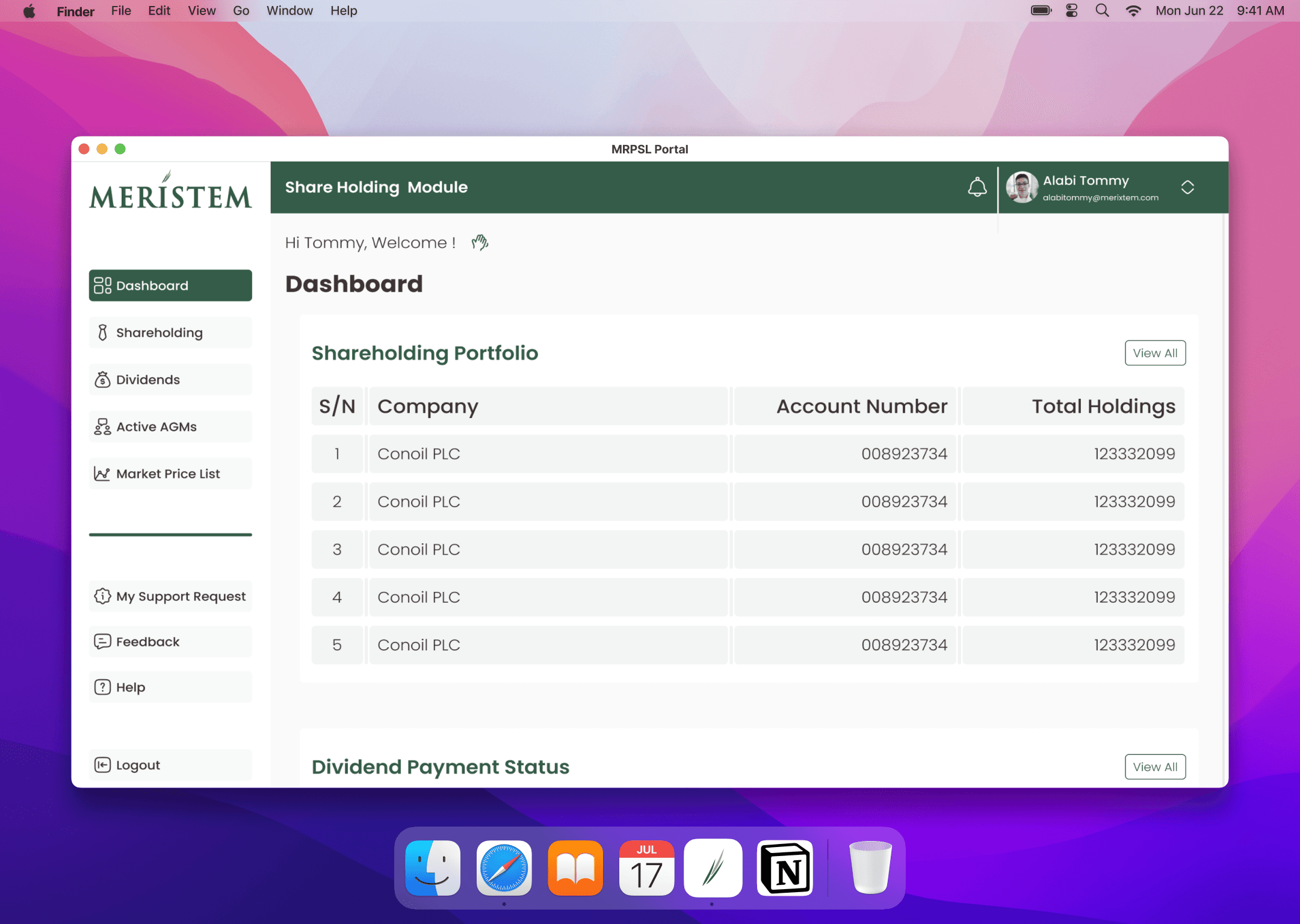
The system was structured around clear role‑based modules:
Shareholder Module
Dashboard, Shareholding History, Dividend History, Virtual AGM, e‑Voting, Buy/Sell Shares, Dividend Re‑investment, Support Requests, Feedback
Company Secretary Module
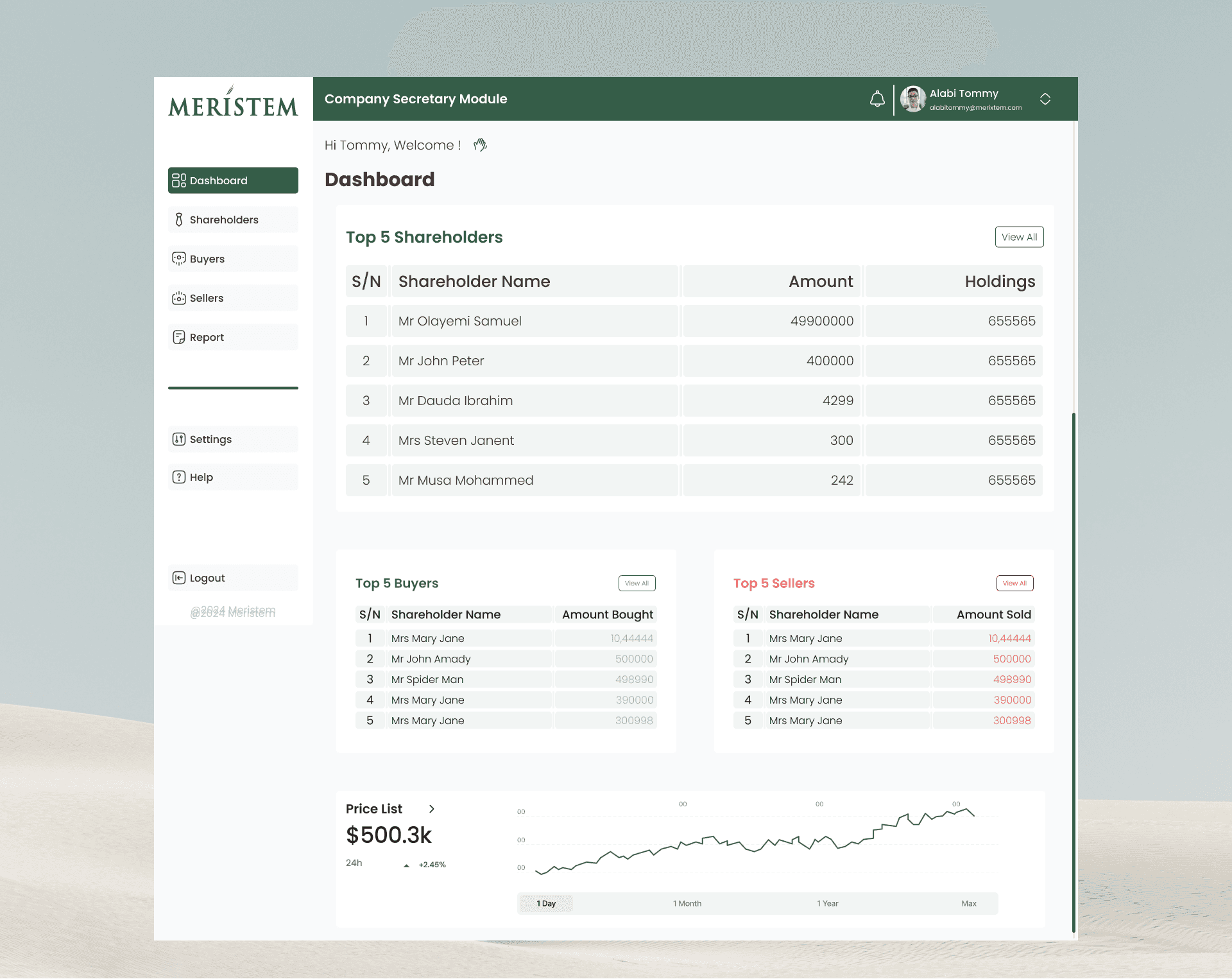
Dashboard, Reports (Members by %, Categories, Unclaimed Dividend, Range Analysis)
Stockbroker Module
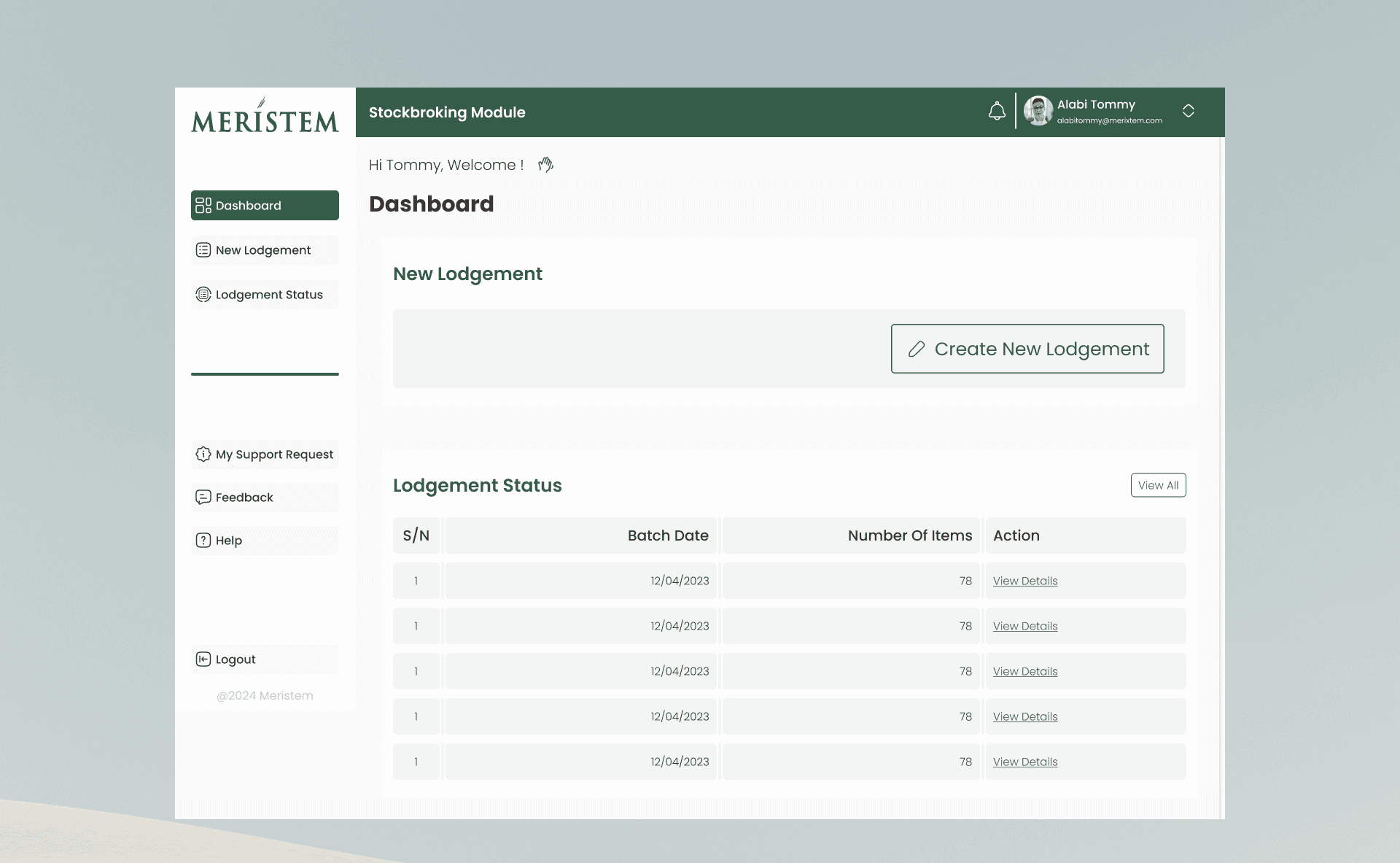
Dashboard, New Lodgment, Lodgment Status
Custodian Module
Shareholder‑equivalent access + CHN/Date‑based reporting
Administrator Module
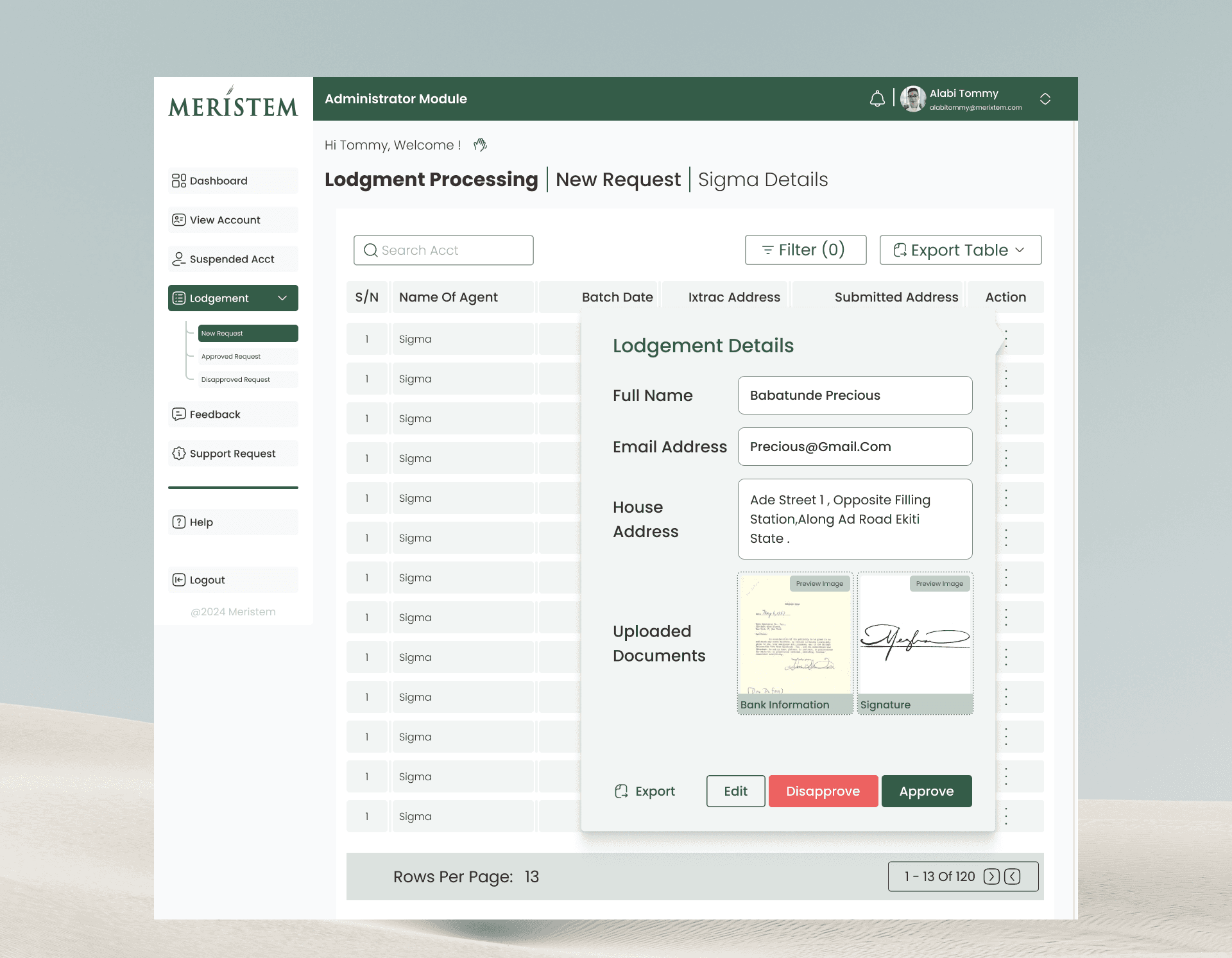
Account Management, Lodgment Processing, Feedback Reports
Visual Design System
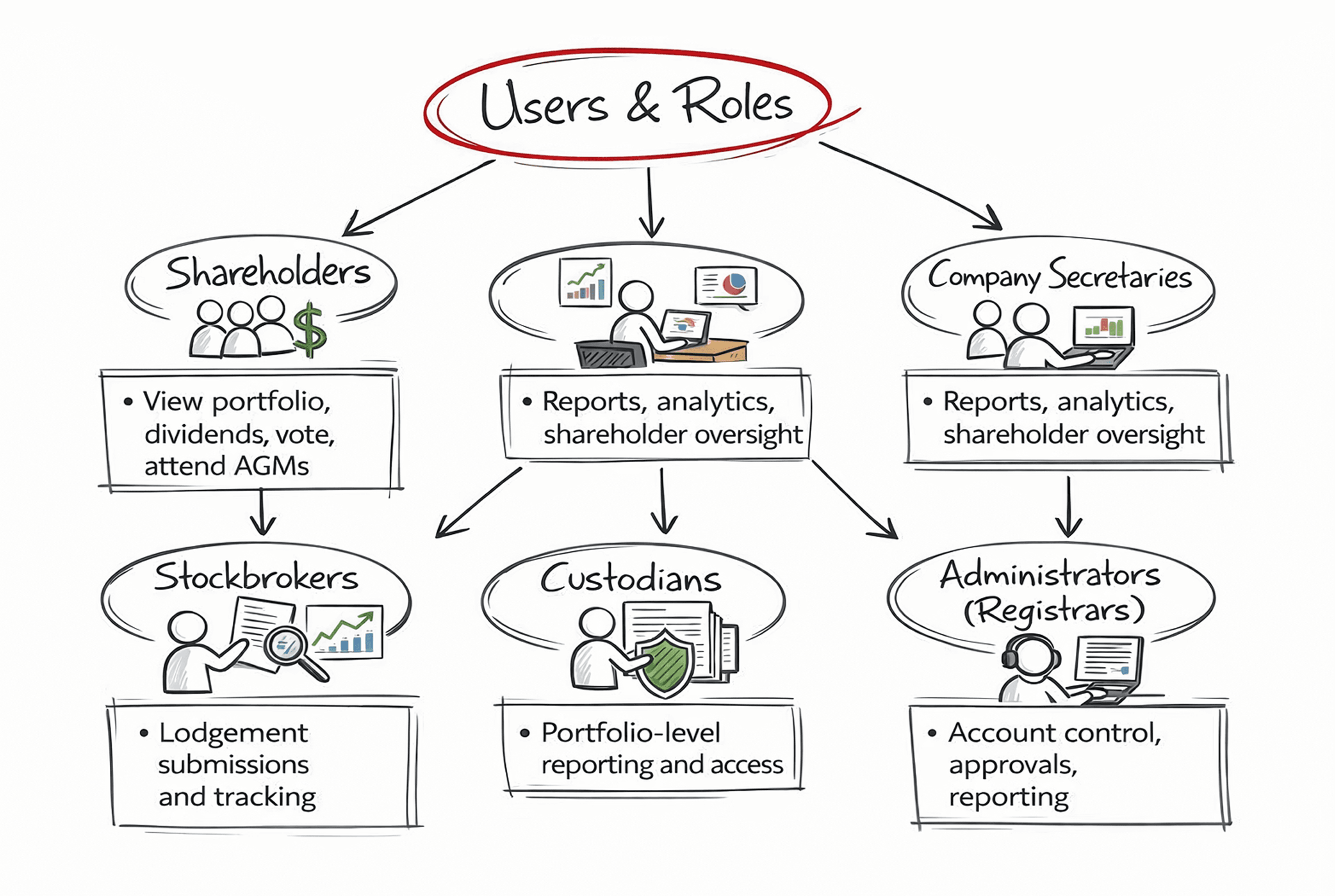
Typography
Poppins
Medium: Headings & emphasis
Regular: Tables, forms, system text
Color System
Deep Greens: Trust, finance, stability
Neutral Greys: Tables and background balance
Minimal accent usage to highlight actions and statuses
The palette intentionally avoids visual noise, allowing data to lead.

Key Screens & UX Decisions
Components
Tables as the Primary UX Surface
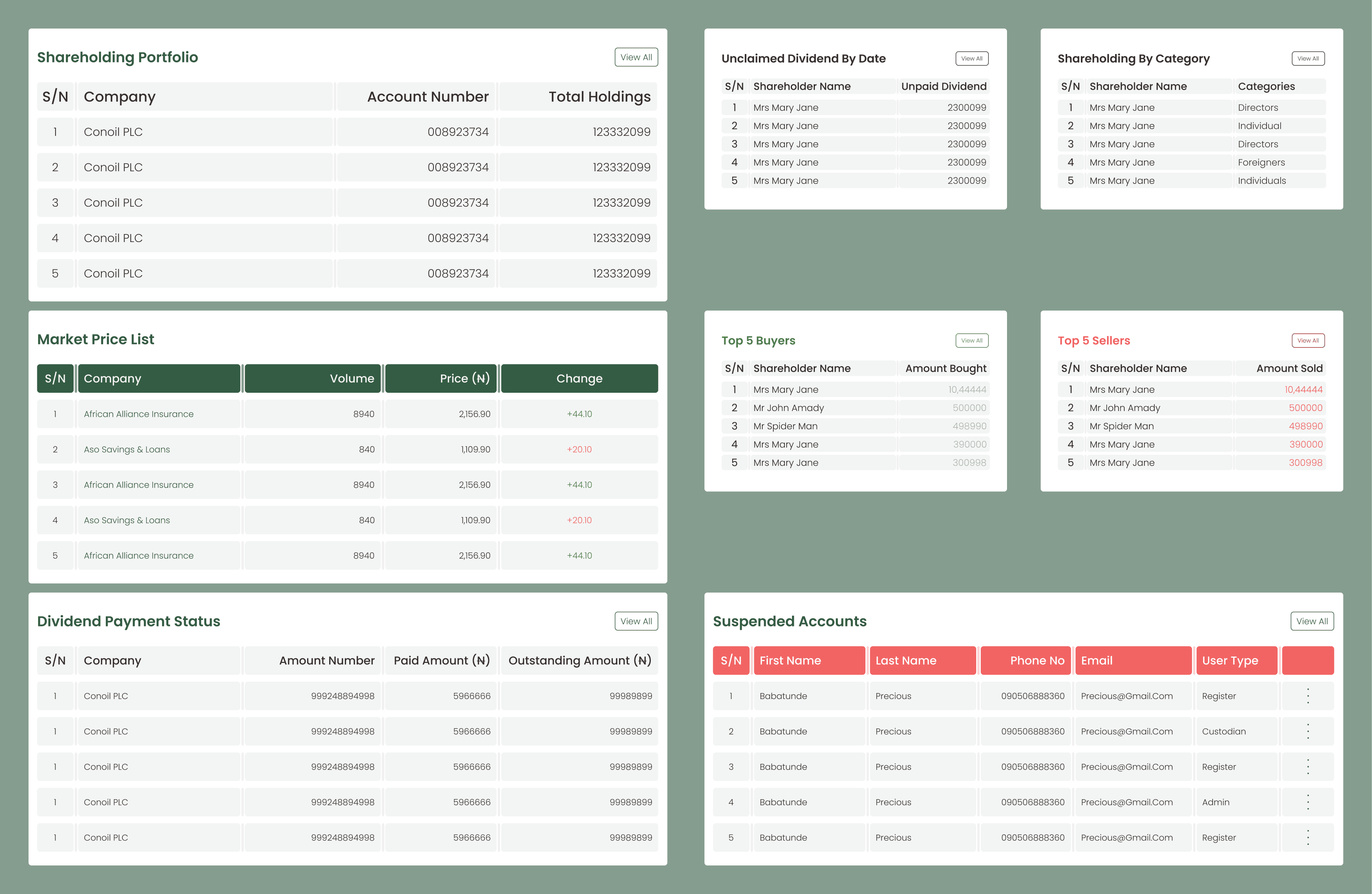
In this product, tables are not secondary components — they are the interface.
Key intentional decisions:
Column consistency across modules so users never re-learn structure when switching roles
Left-aligned identifiers (Company, Account No, Name) for fast scanning
Right-aligned numeric values to improve comparison accuracy
Green and red as semantic signals, not decoration (Buy vs Sell, Paid vs Outstanding)
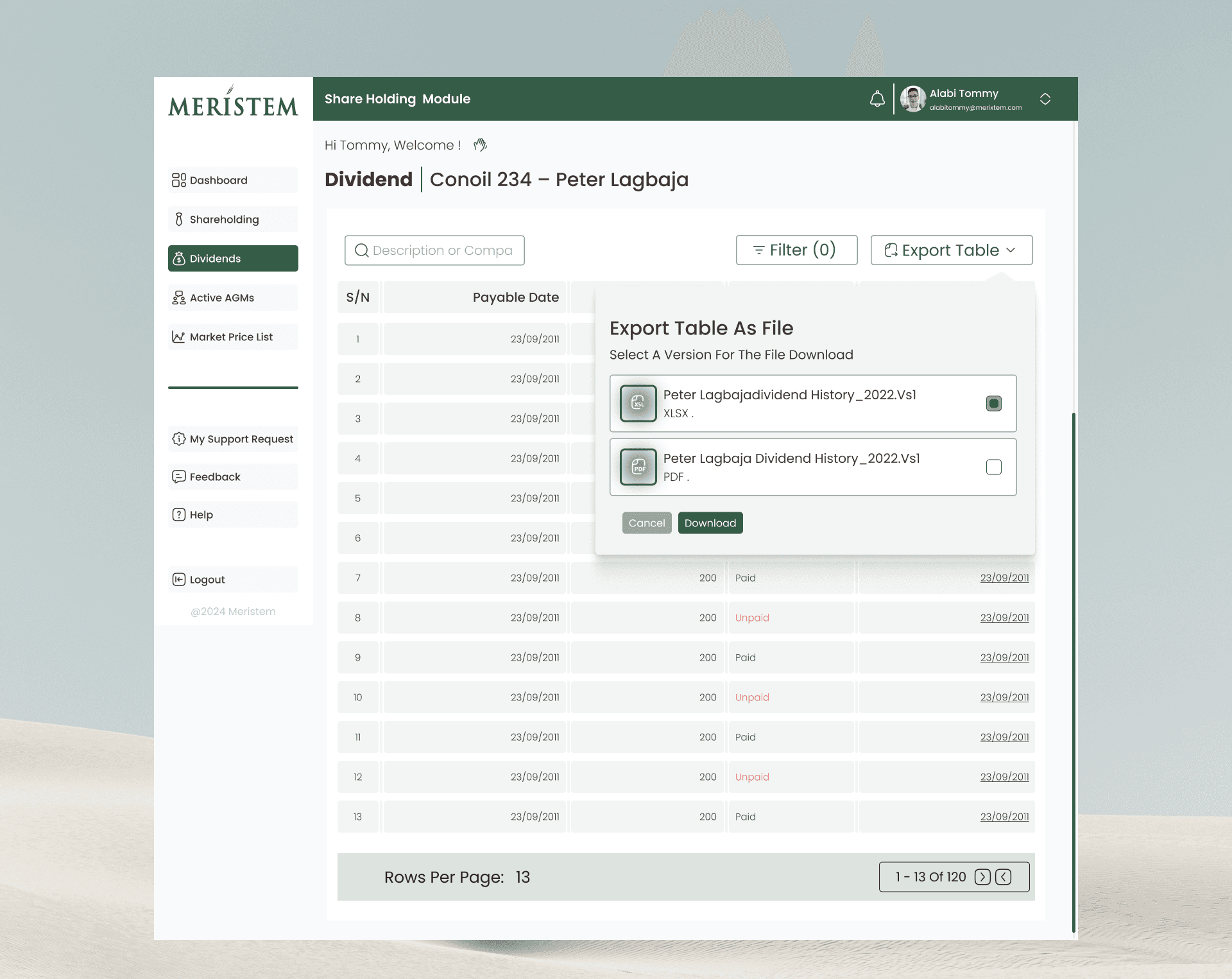
Inline actions (View, Print, Export) placed at the row level to reduce navigation depth
Instead of collapsing complexity, the design prioritizes clarity and predictability, which is critical in regulated environments.
Authentication & Security Flows
Security was a core design constraint, not an afterthought.
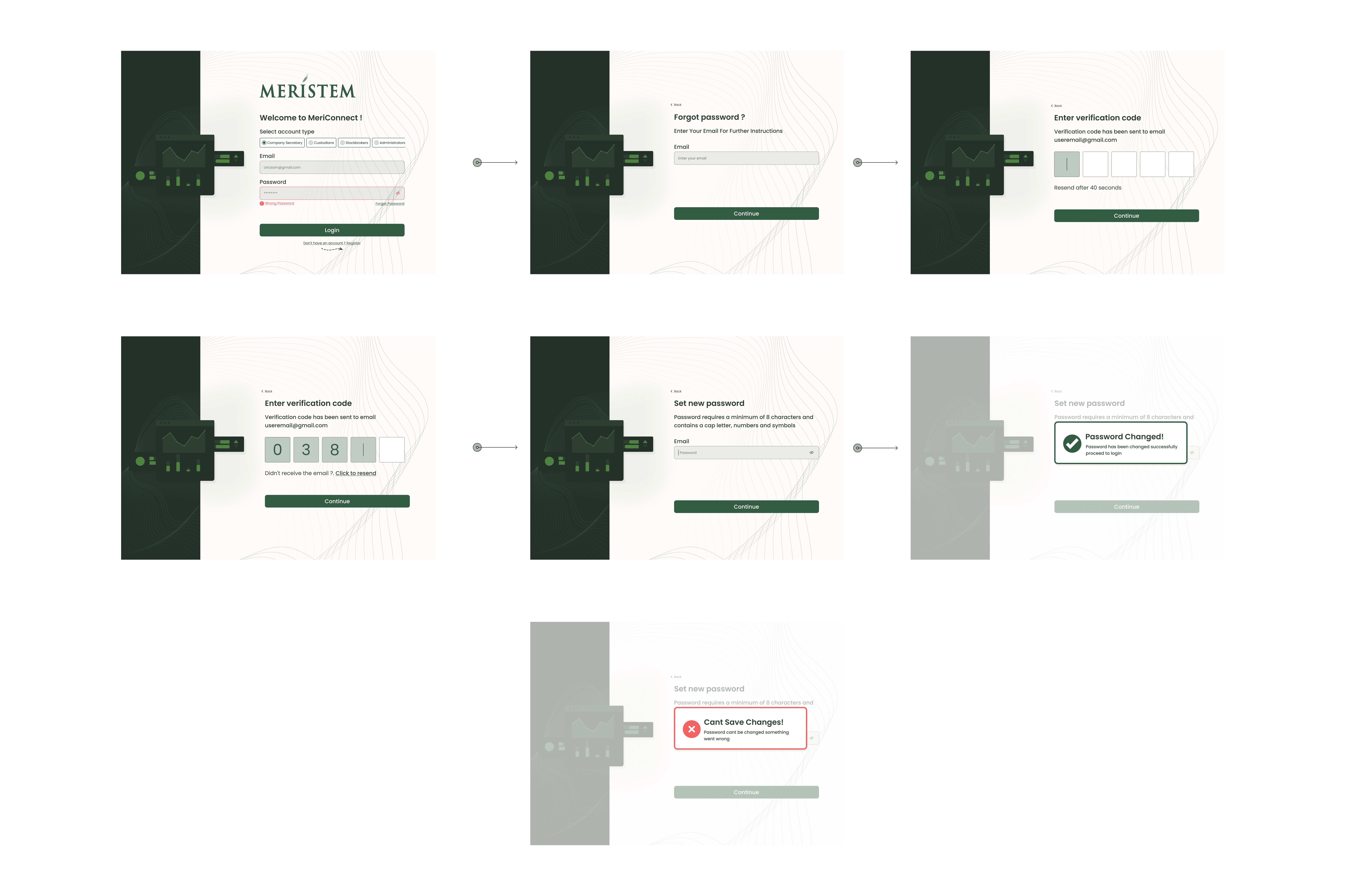
Login Flow
Email‑based login validated against the live Ixtrac database
SMS OTP required on first login and quarterly thereafter

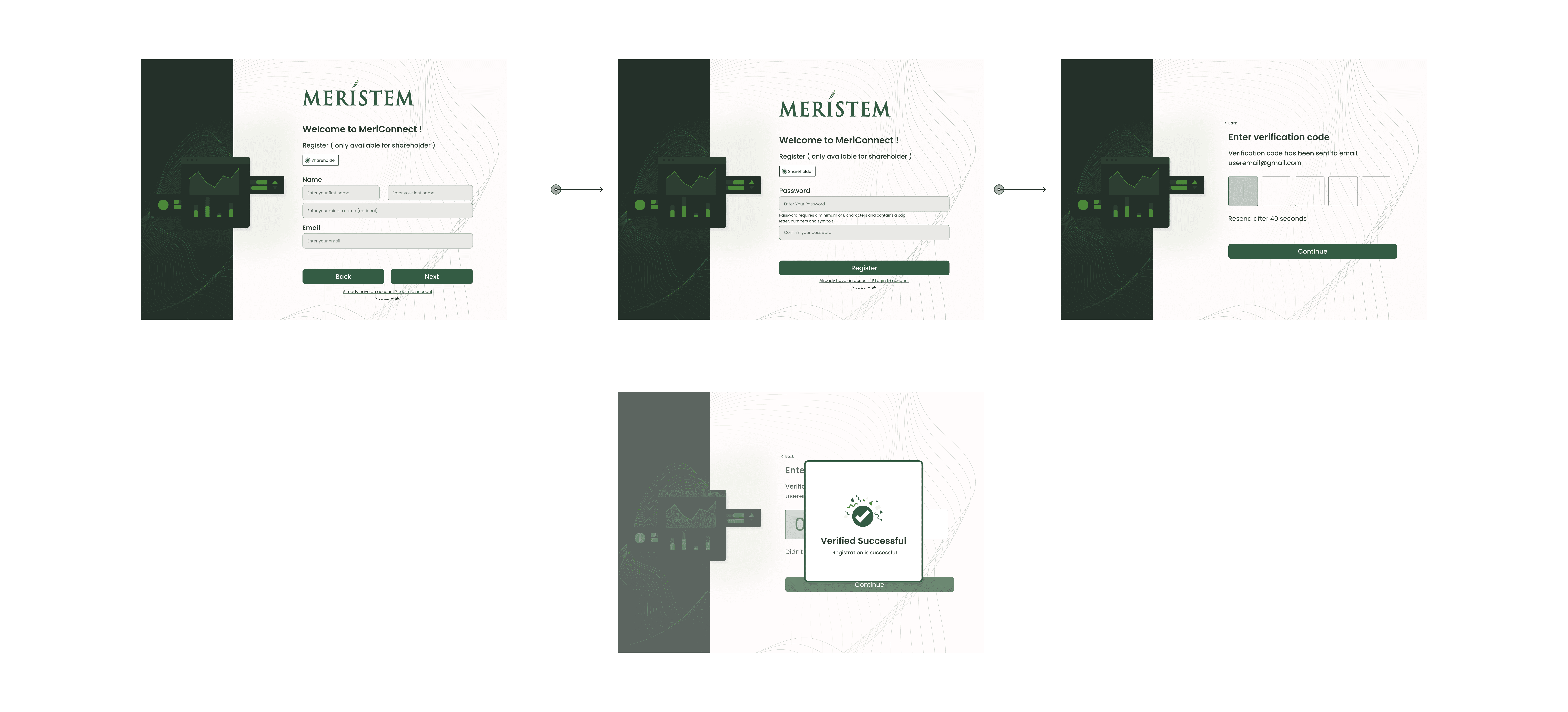
Registration Flow
Email OTP validation
Limited dashboard access until SMS OTP is completed
Limited dashboard access until SMS OTP is completed
Password Recovery
Email OTP issued
Mandatory password reset on next login
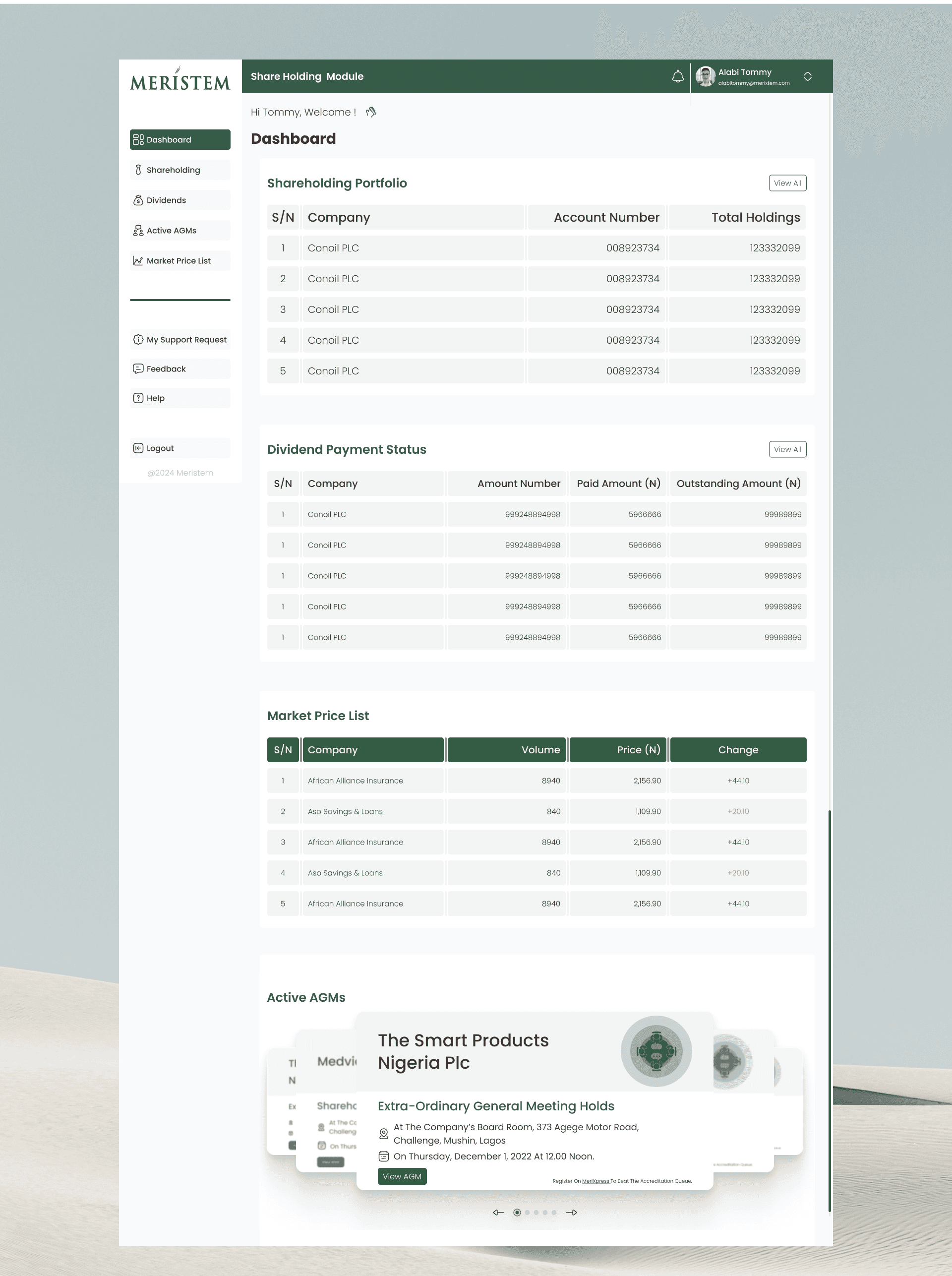
Dashboards were designed to answer one question per section:
Portfolio snapshot → What do I own?
Dividend status → What is owed or paid?
Market prices → What is the market doing now?
Active AGMs → Is there something I need to act on?
There are no secondary CTAs competing for attention. Every dashboard element either informs or leads directly to action.
Design intent: Immediate financial clarity within 5 seconds of login.
Shareholder Module (Web + Mobile)
Dashboard (Shareholder)
Aggregated portfolio by BVN (individual accounts)
Dividend status snapshot
Live market prices via NGX API
Active AGMs surfaced immediately
Design intent: Immediate financial clarity within 5 seconds of login.
Data Tables
Consistent column structure across modules
Green = Buy / Paid | Red = Sell / Outstanding
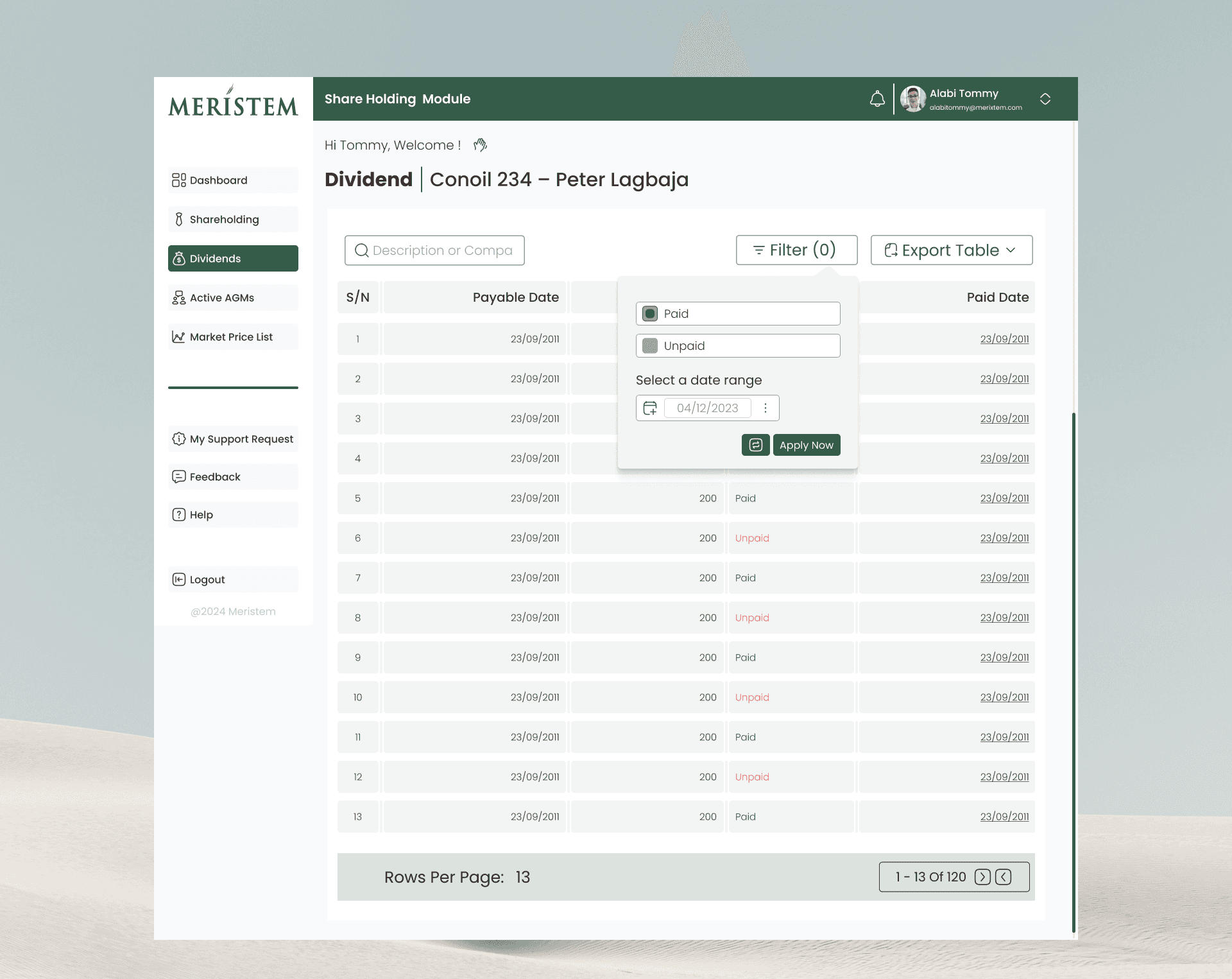
Inline actions (View, Print, Export) to reduce navigation depth
Pop‑ups Over Page Loads
Transaction and dividend histories open in modals to:
Preserve context
Reduce re‑learning
Speed up comparisons
Data Tables
Consistent column structure across modules
Green = Buy / Paid | Red = Sell / Outstanding
Inline actions (View, Print, Export) to reduce navigation depth
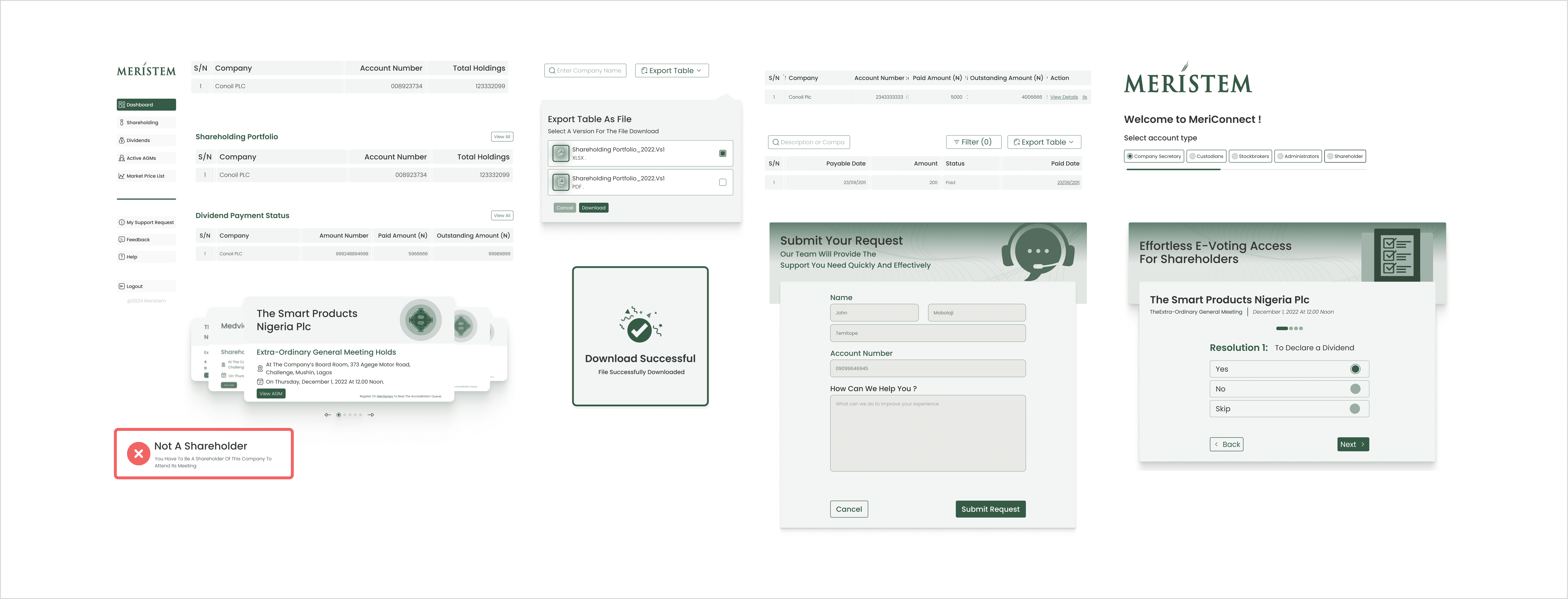
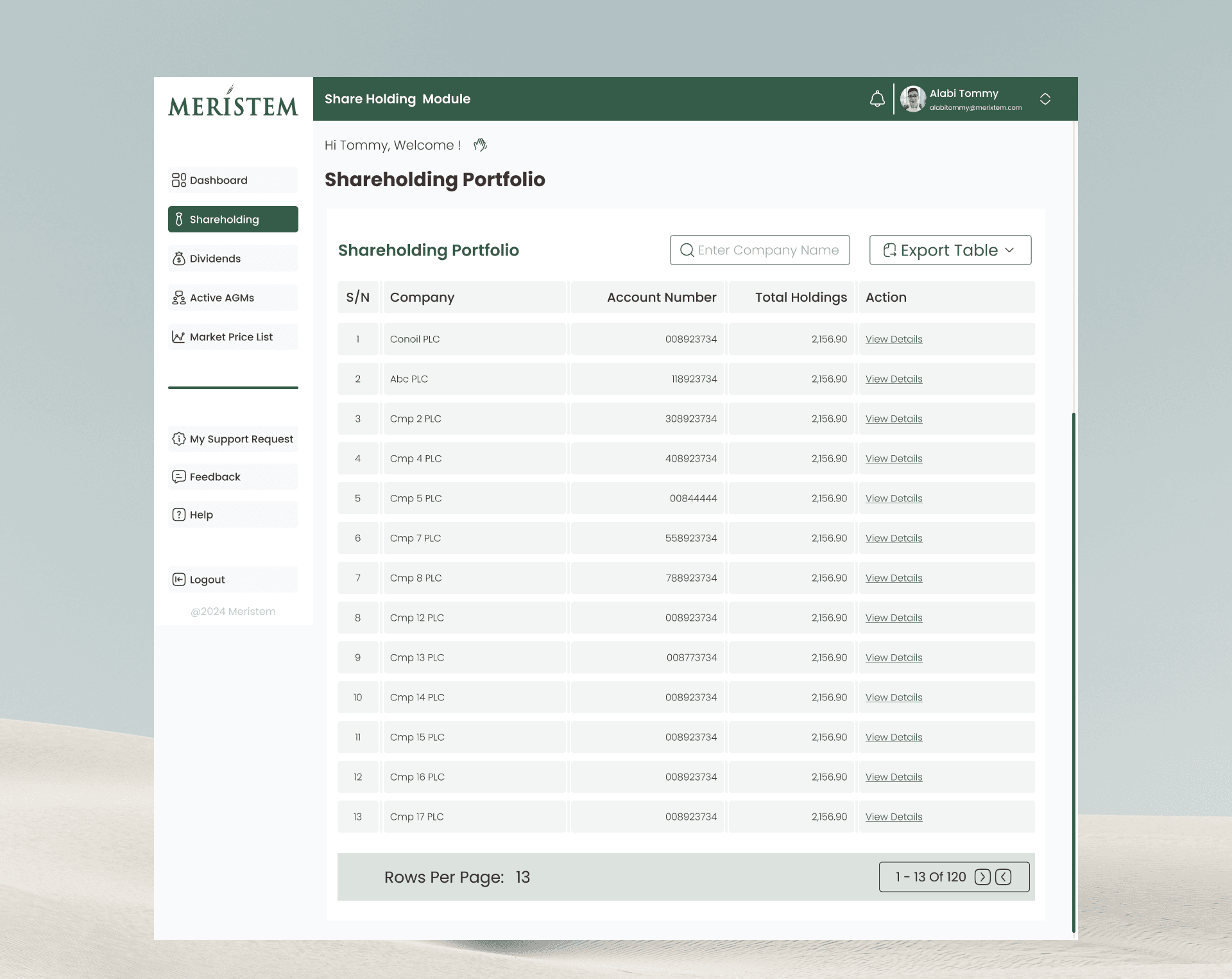
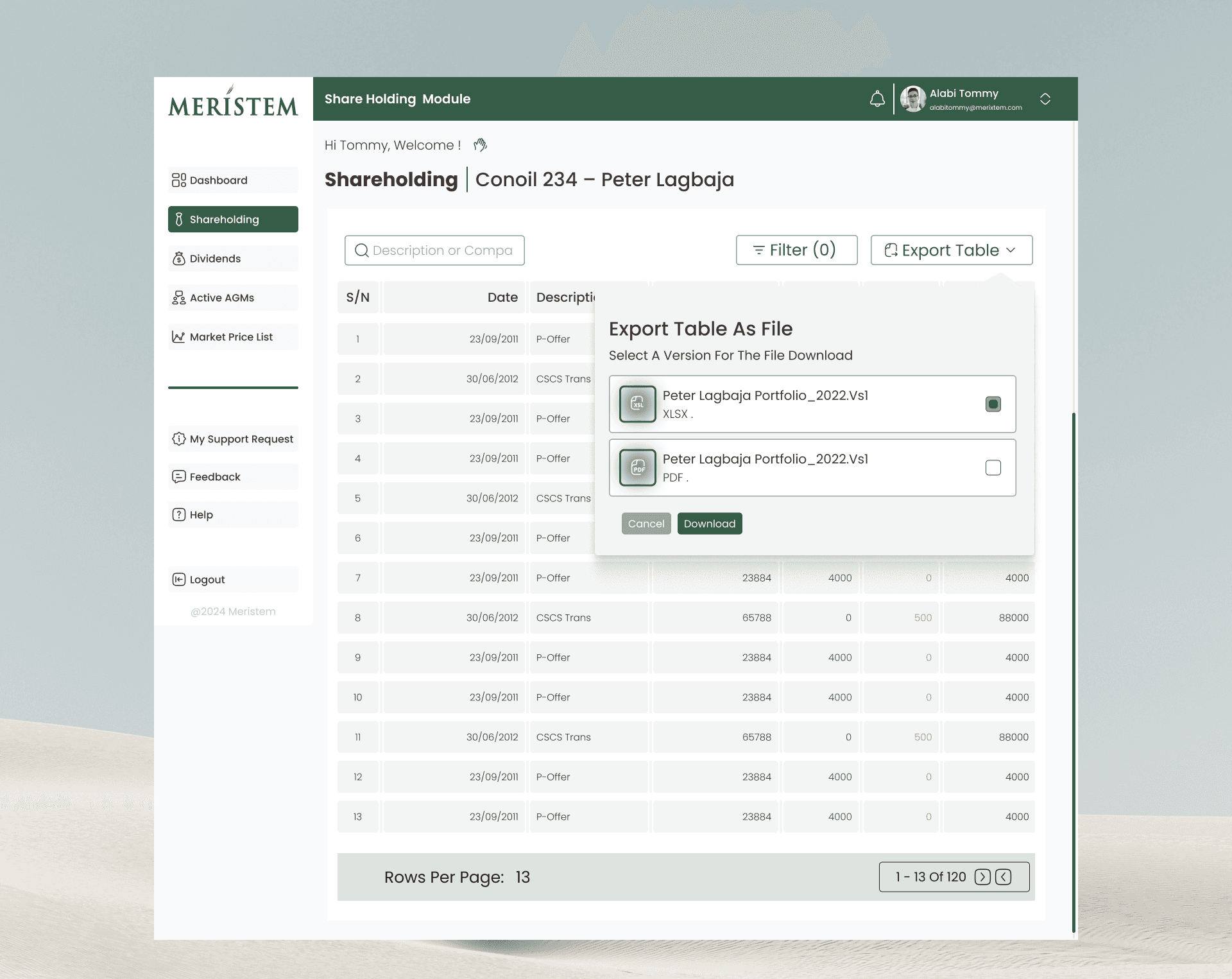
Shareholding Portfolio
Summary Table: The interface displays a table summarizing holdings by company, showing the Account Num and Total Holdings, with an Action column
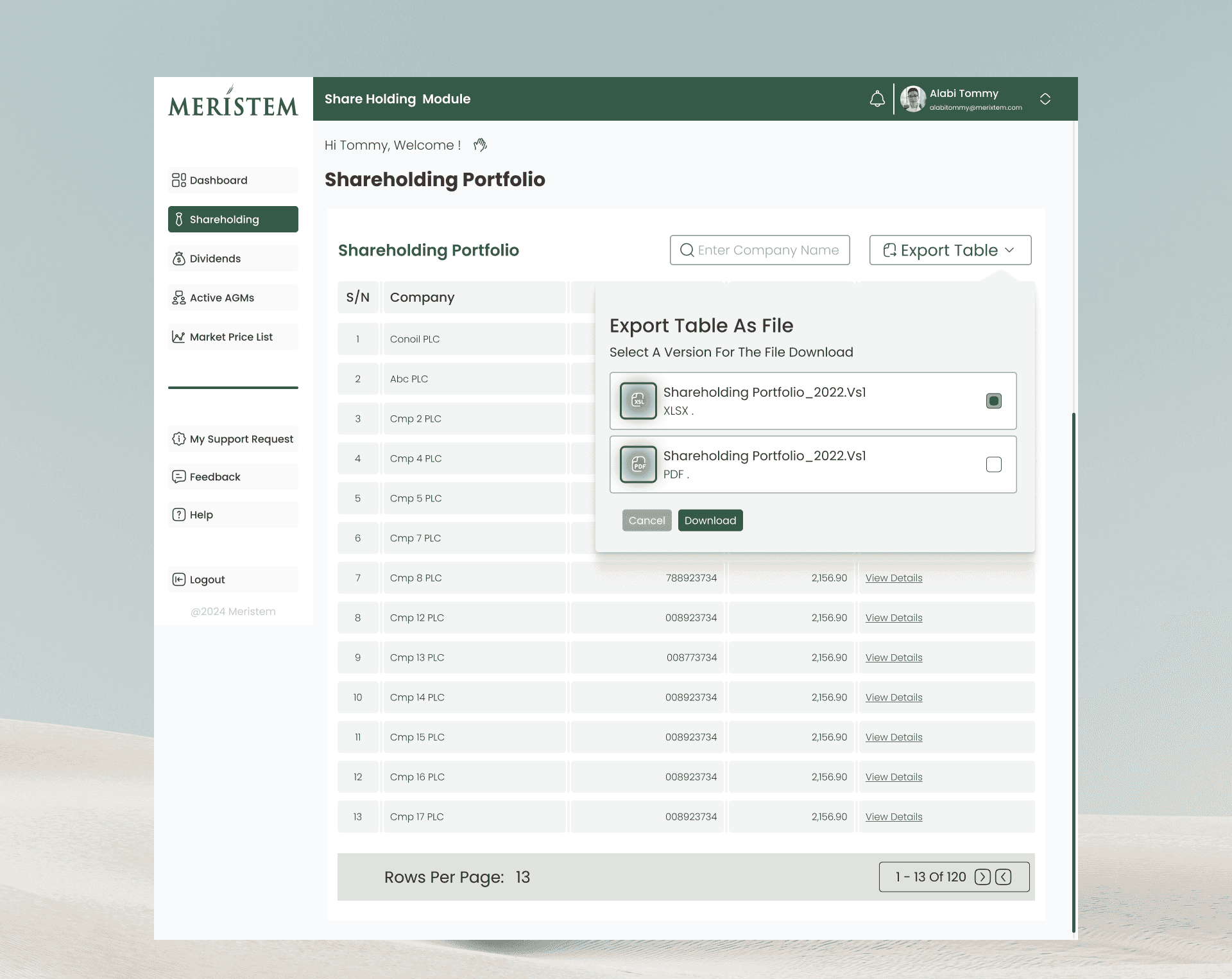
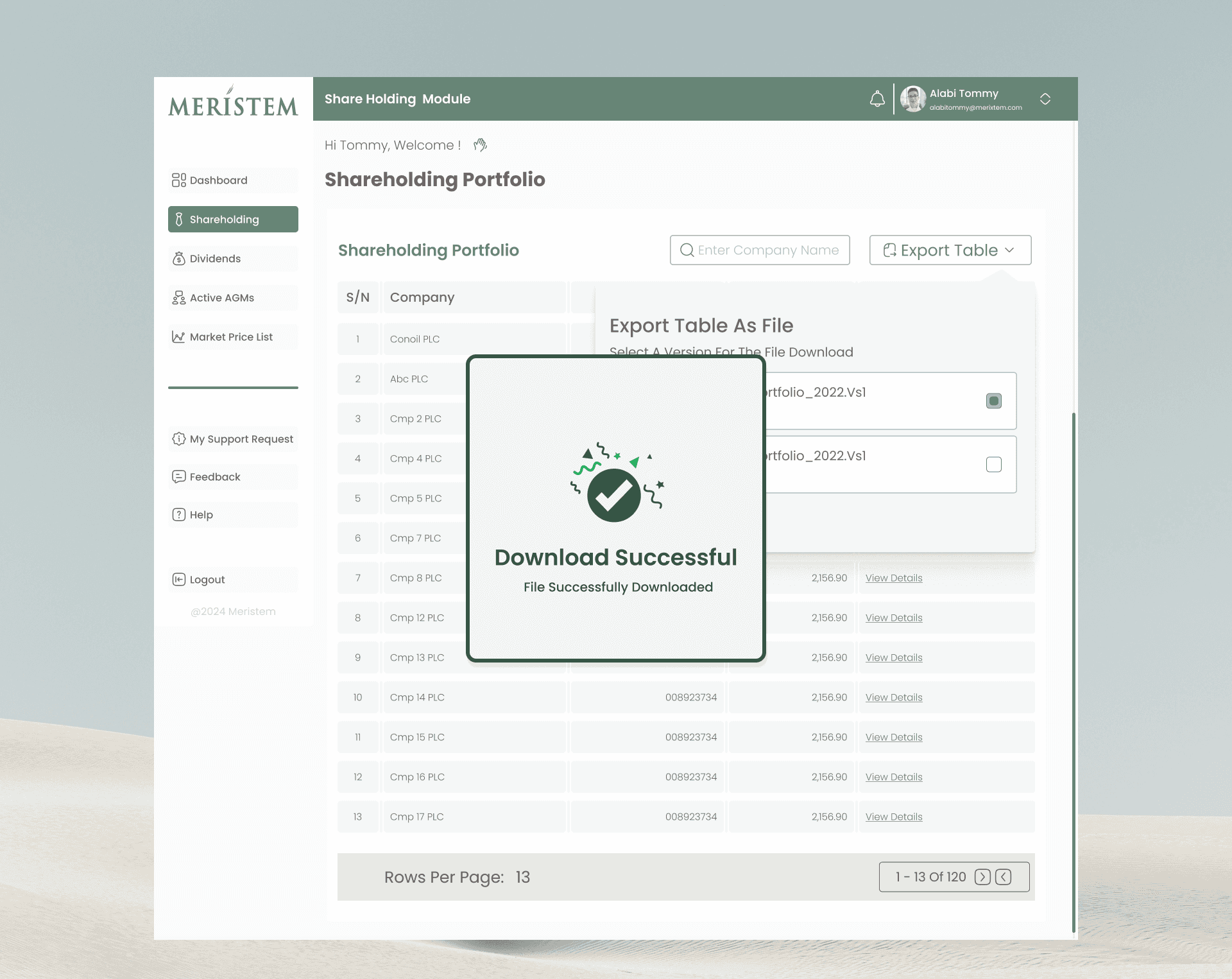
Shareholding Portfolio
Requesting Details: The shareholder clicks “View Details” in the Action column for the selected account
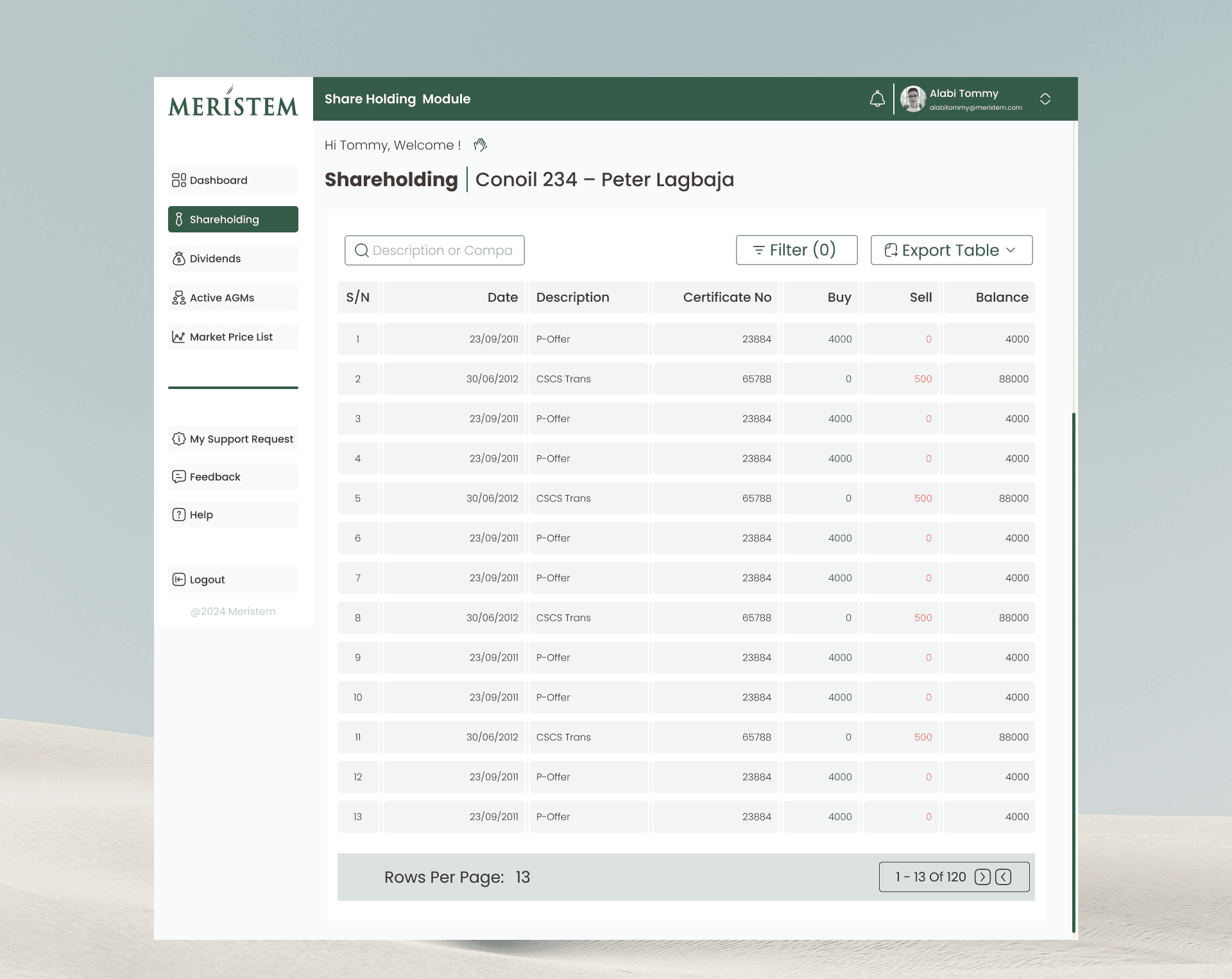
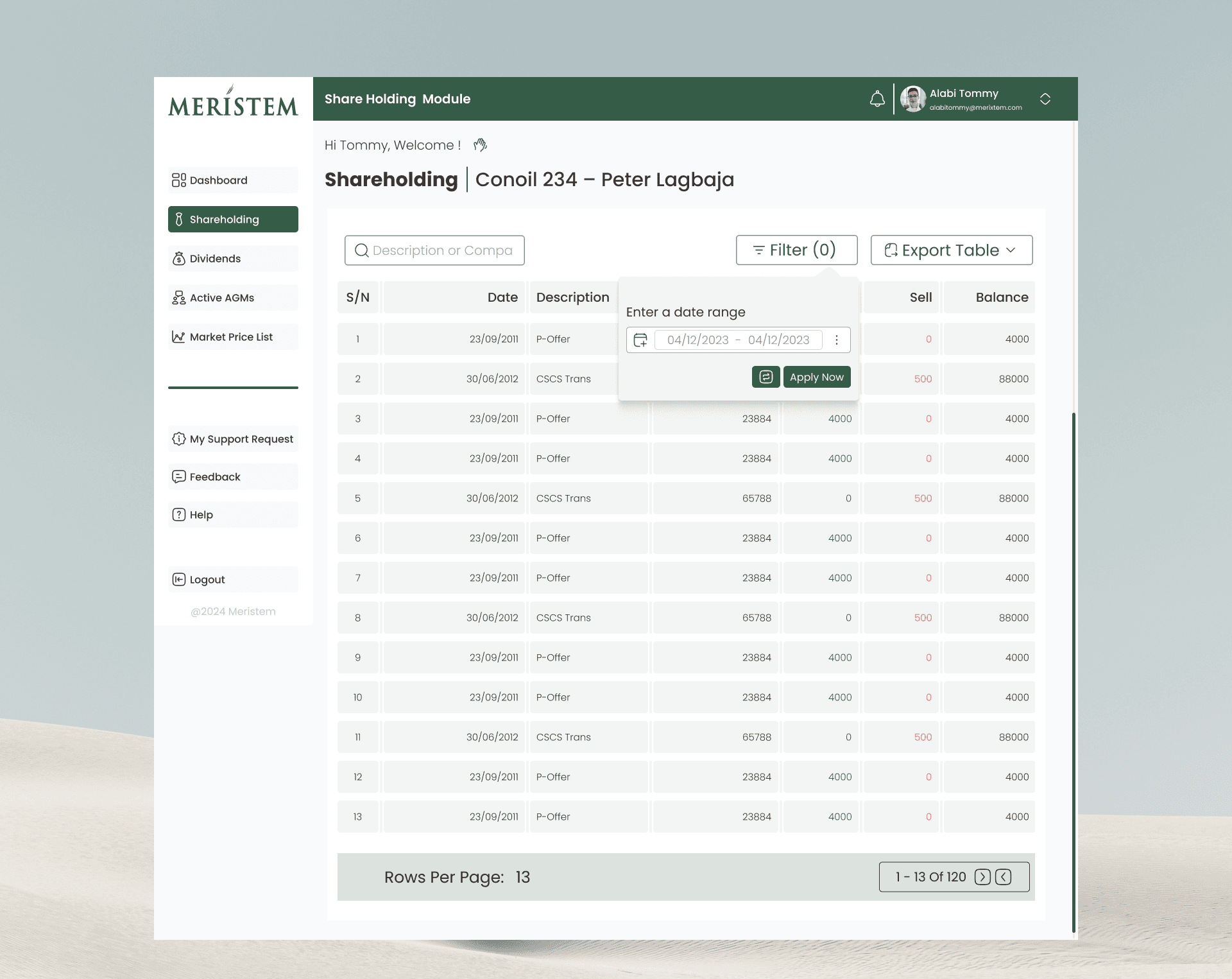
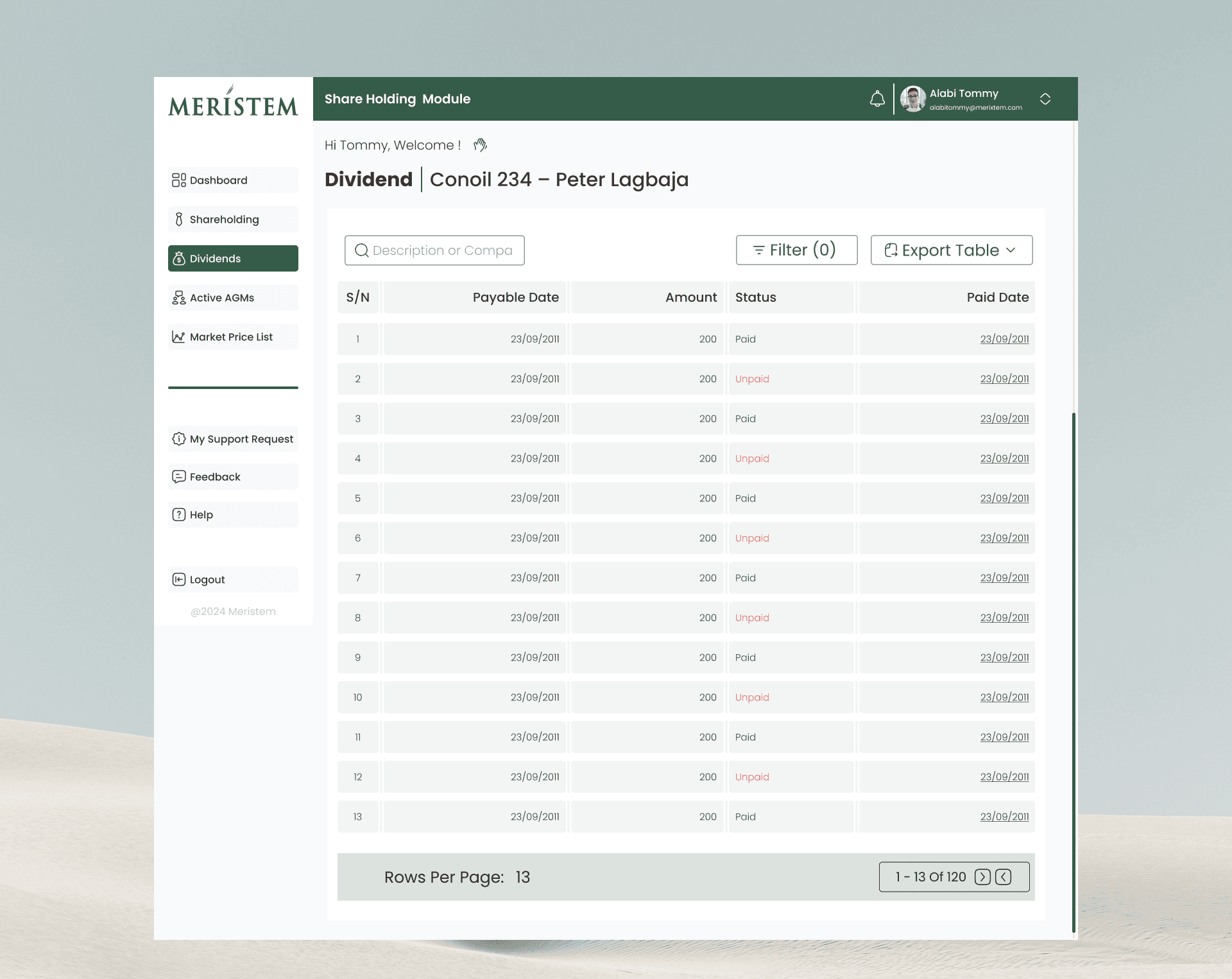
Dividend History
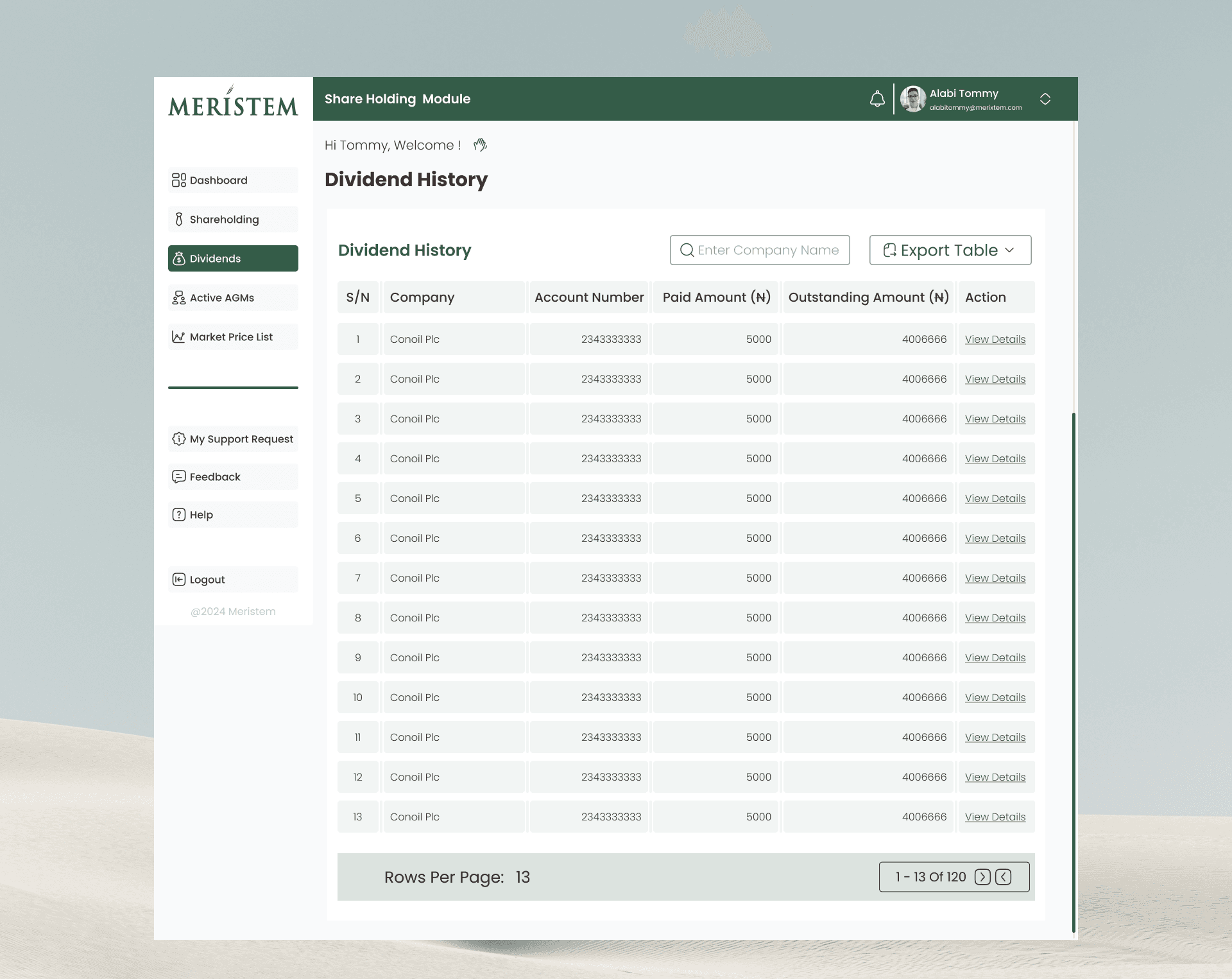
Summary Table: The main Dividend History page displays a summary table that includes the Total Paid Amount (N) and the Outstanding Amount (N) for each company account,. This table lists the company, account number, and units
Dividend History
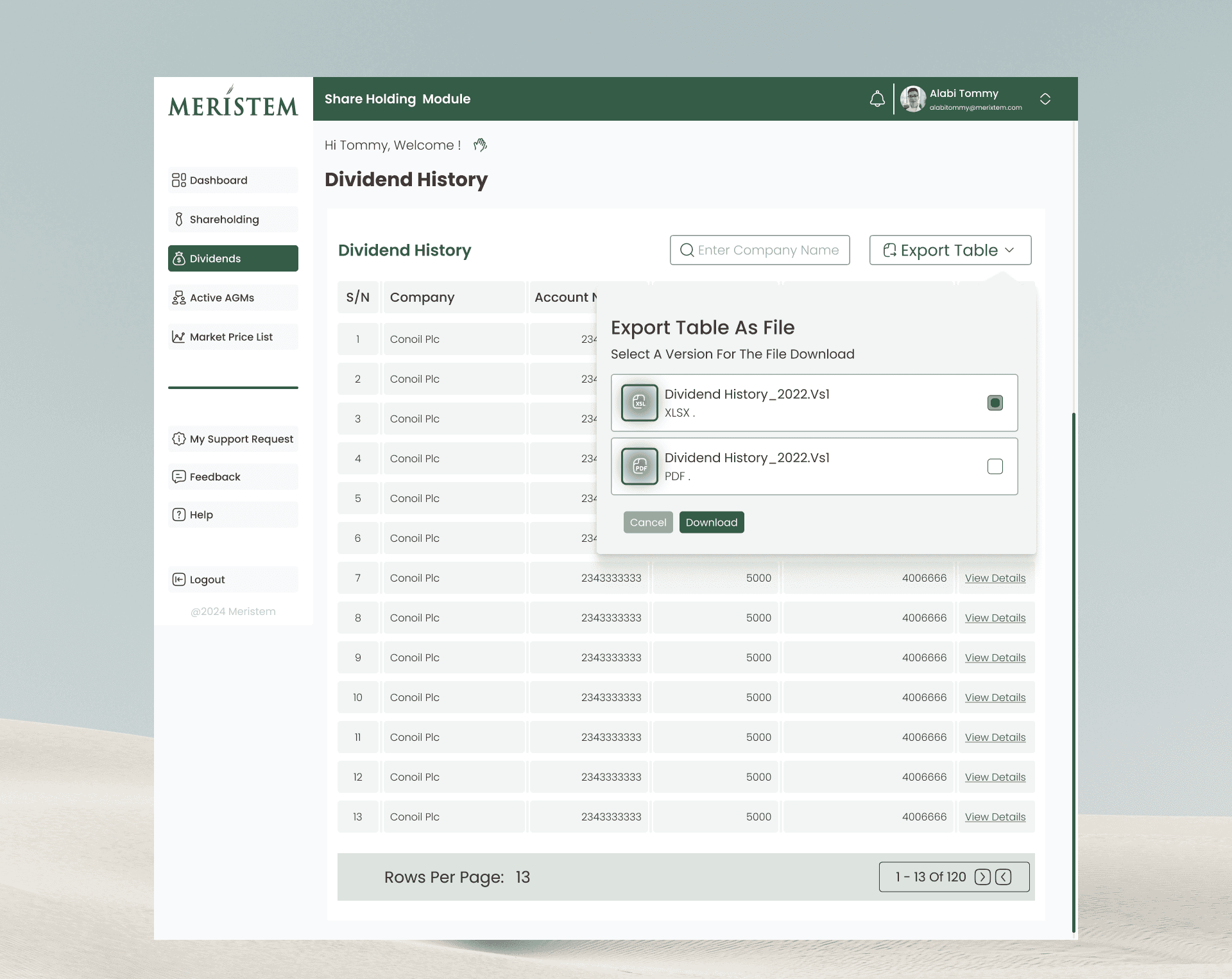
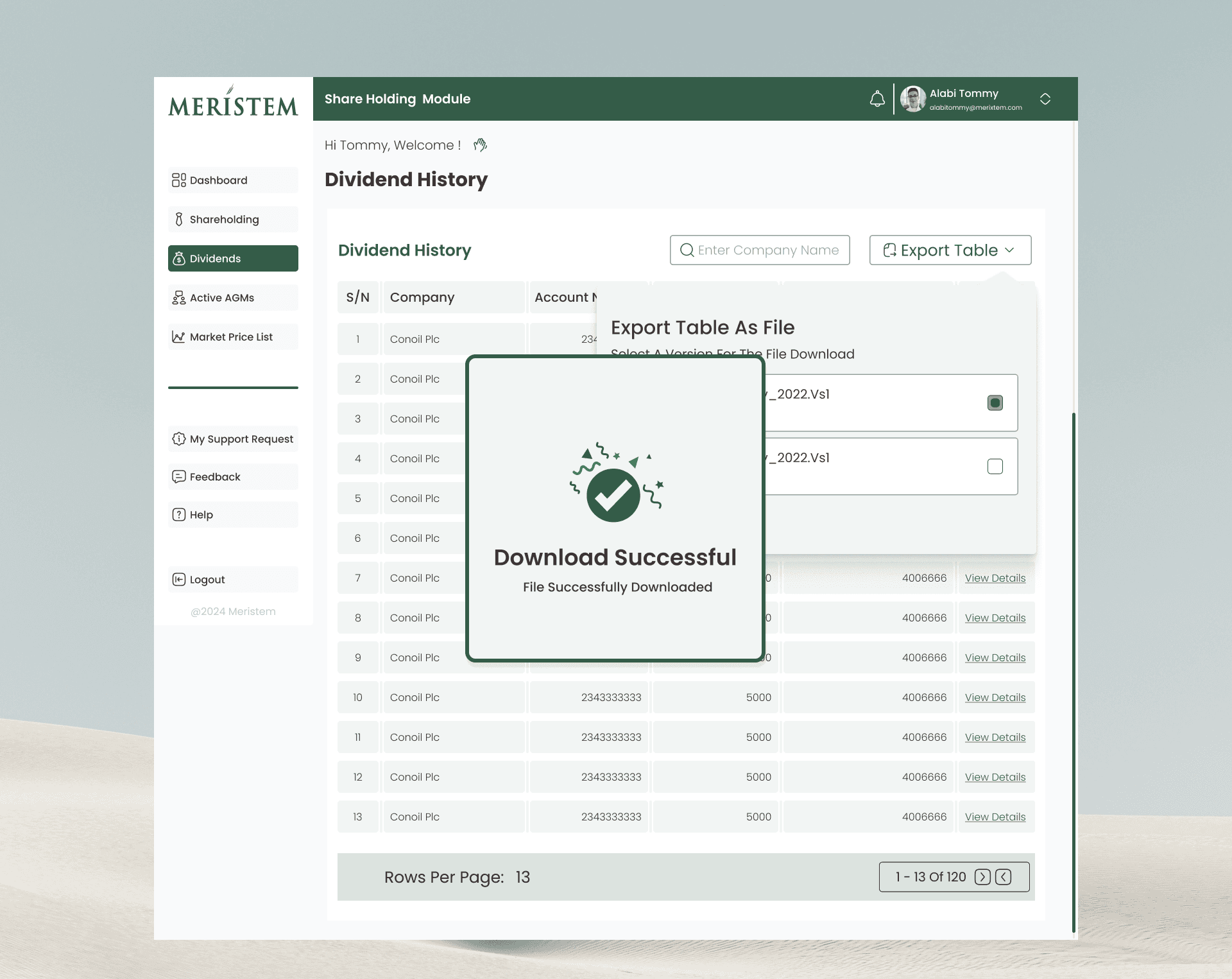
Action to View Details: A click on “View Details” (found in the Action column of the summary table) displays a popup.
• Popup Content: This popup lists all declared dividends for the selected account.
• Displayed Columns: The columns shown in the detailed history include PayNum, Net Amount, Payment Status, and Payment Date. The status explicitly indicates whether the dividend is Paid or Unpaid
Virtual AGM Meeting
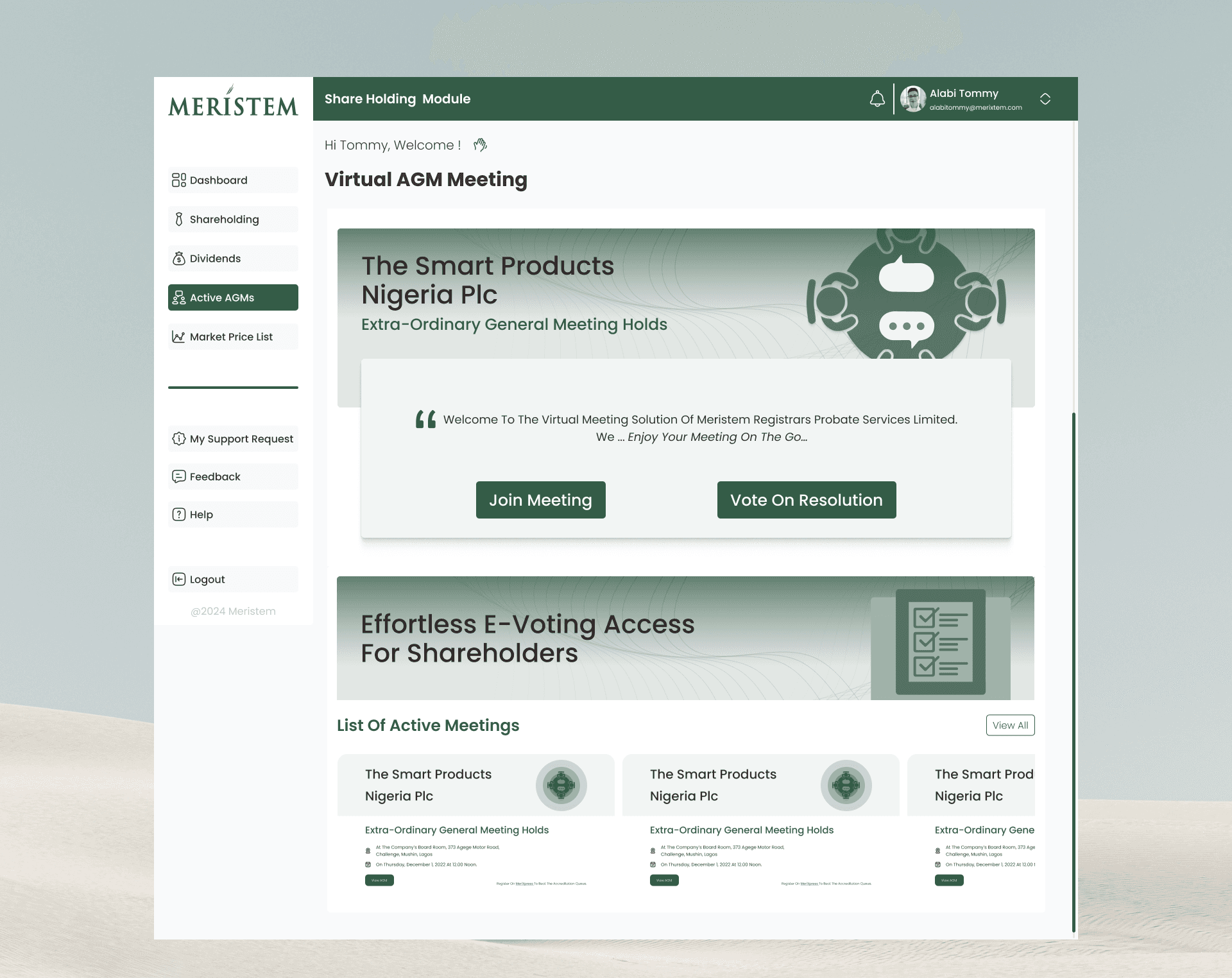
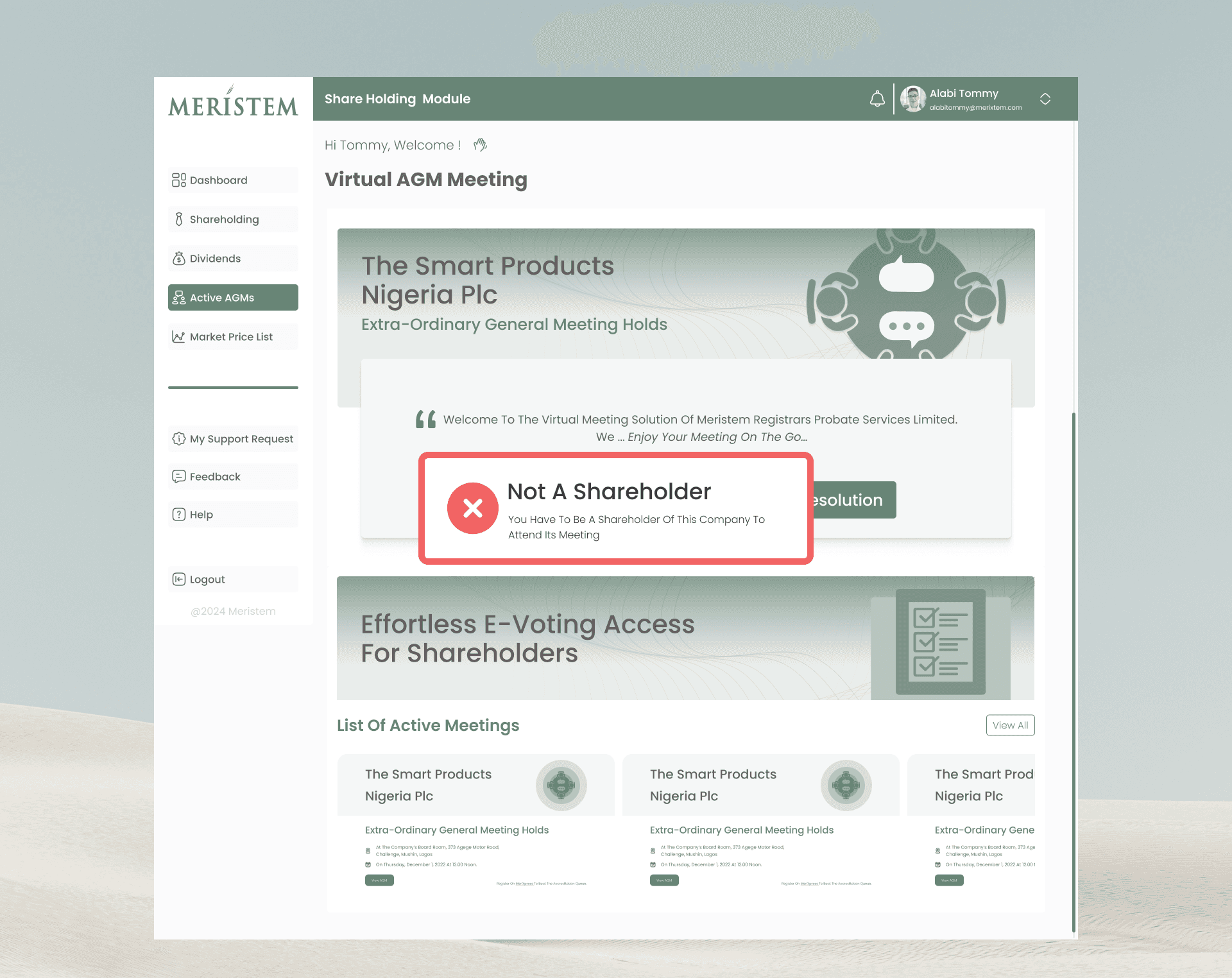
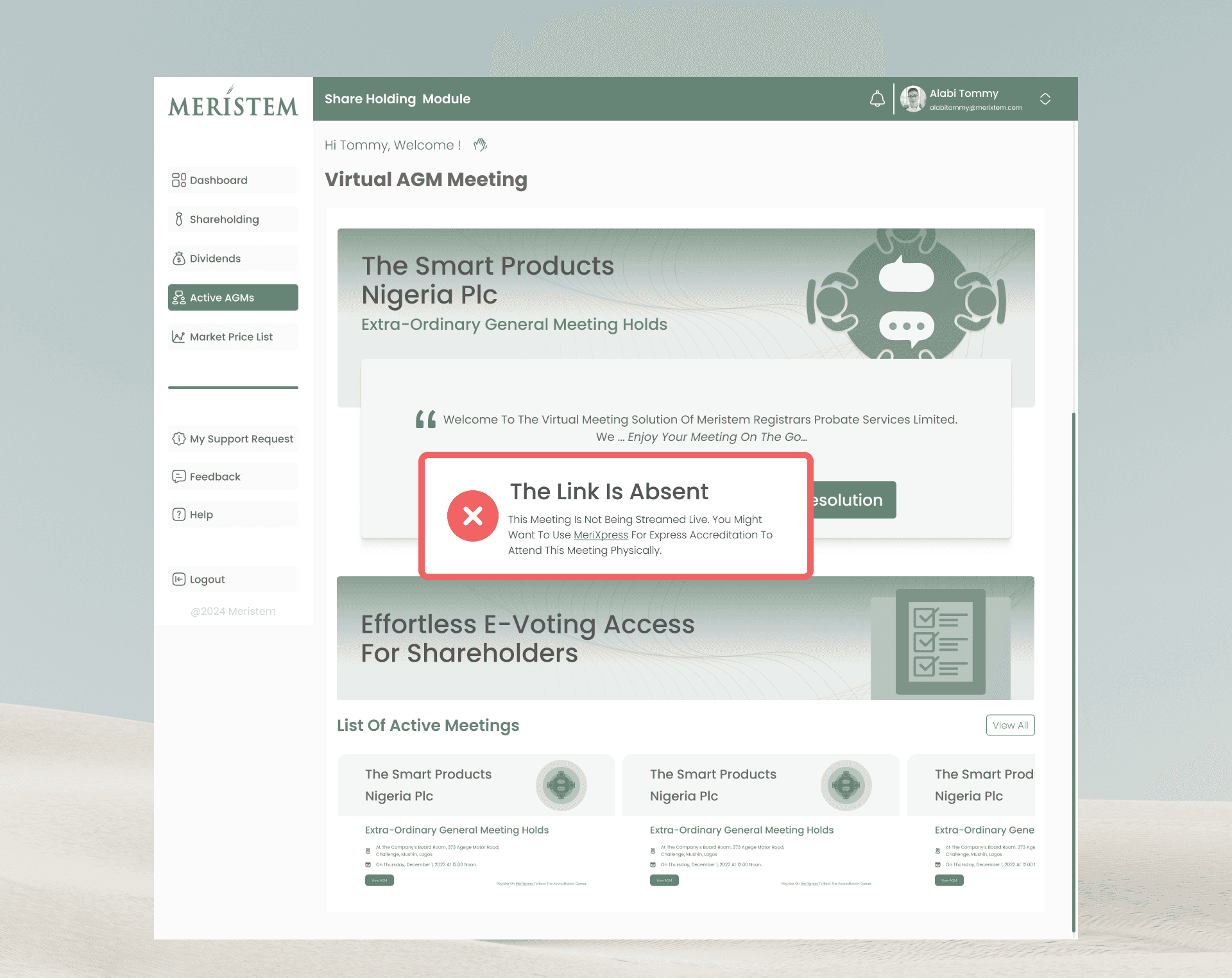
The Virtual AGM Meeting function is a key service offered within the Shareholder Module, providing online access to ongoing general meetings.
The shareholder Dashboard displays a summary of the List of Active AGMs. This list is populated via API from MeriXpress.
Clicking "Join Meeting" triggers a check by the system to confirm two things:
1. If the shareholder is a member of the selected company.
2. If the shareholder has not been accredited into the meeting already
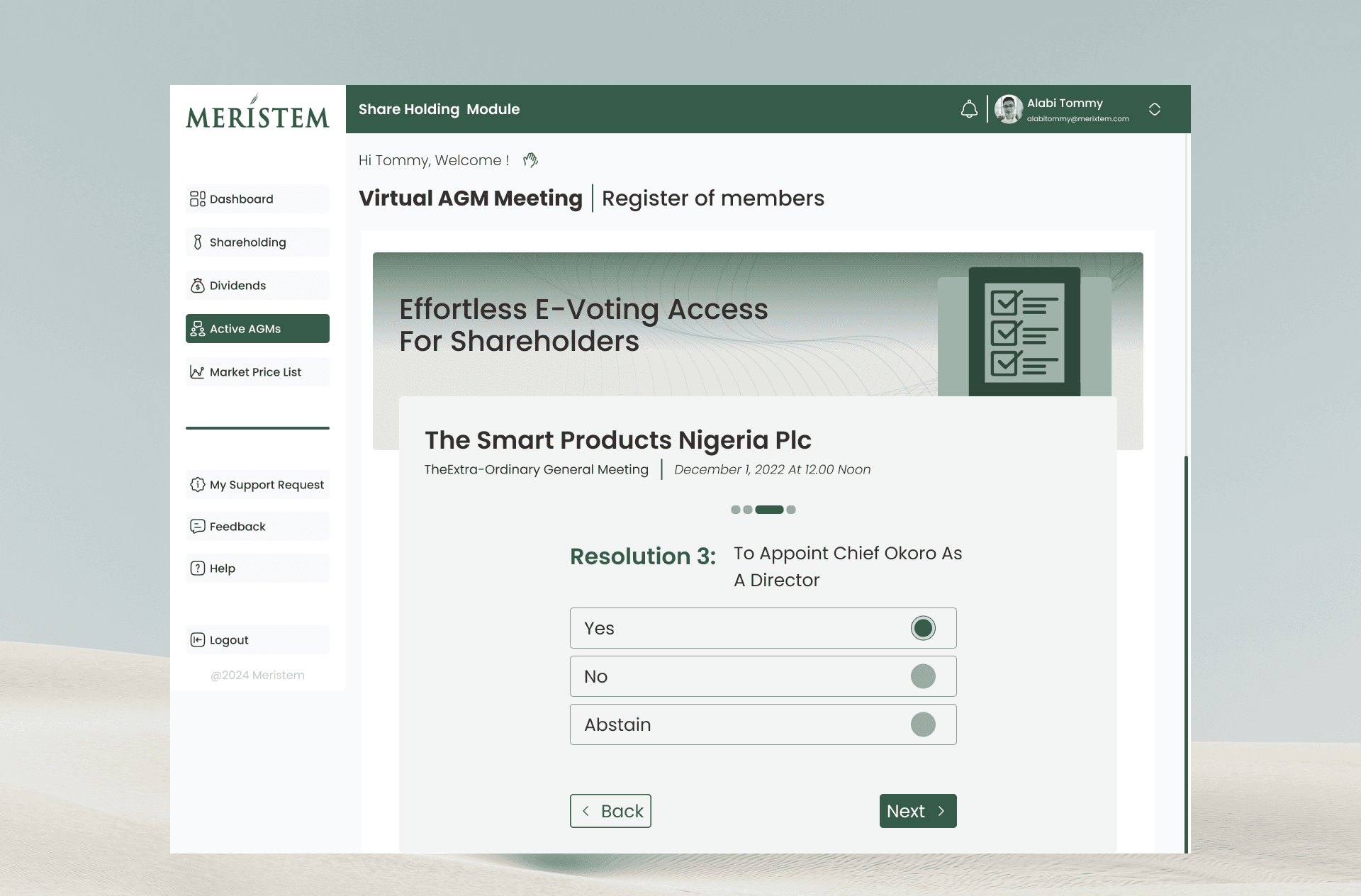
E-Voting
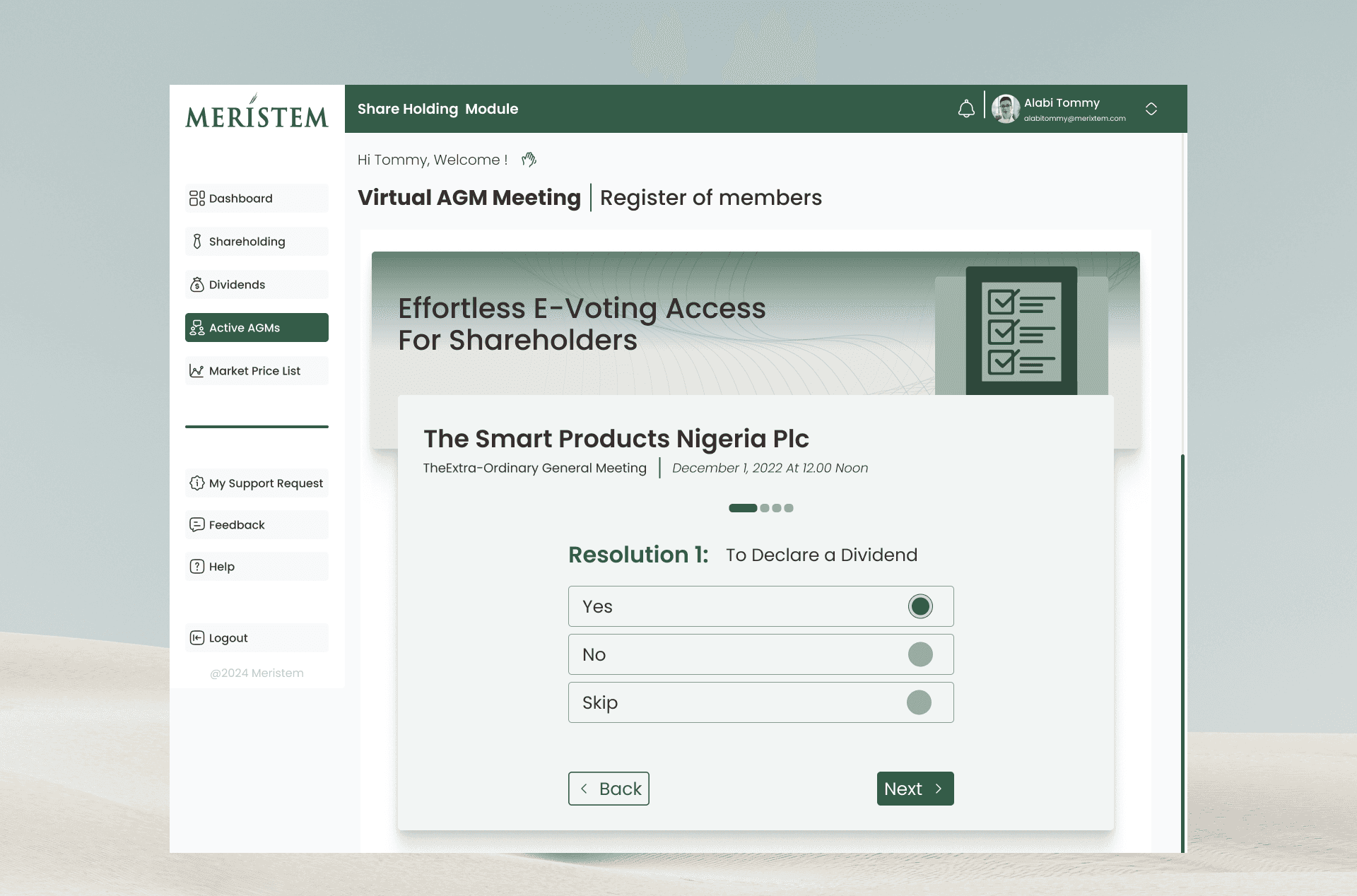
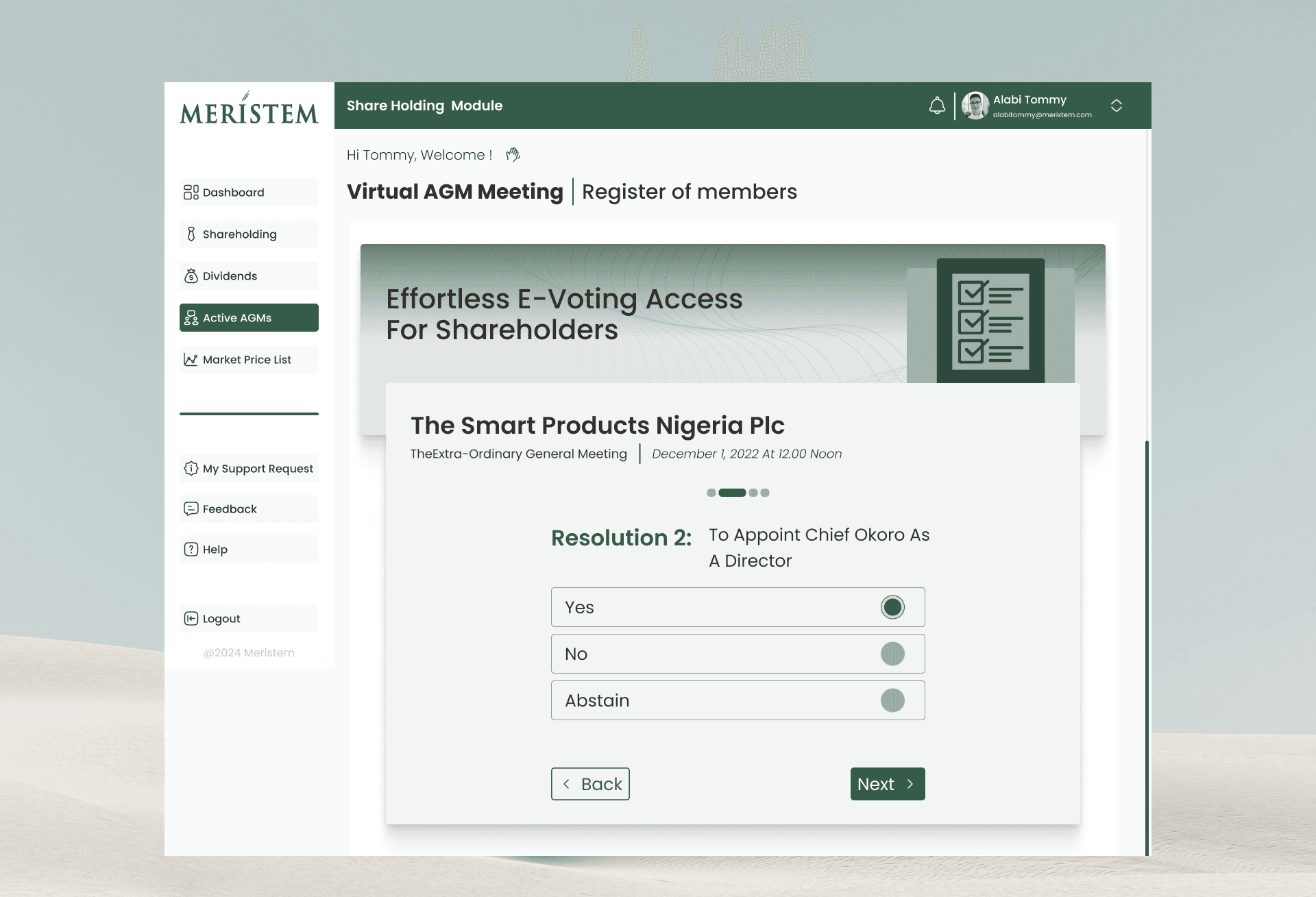
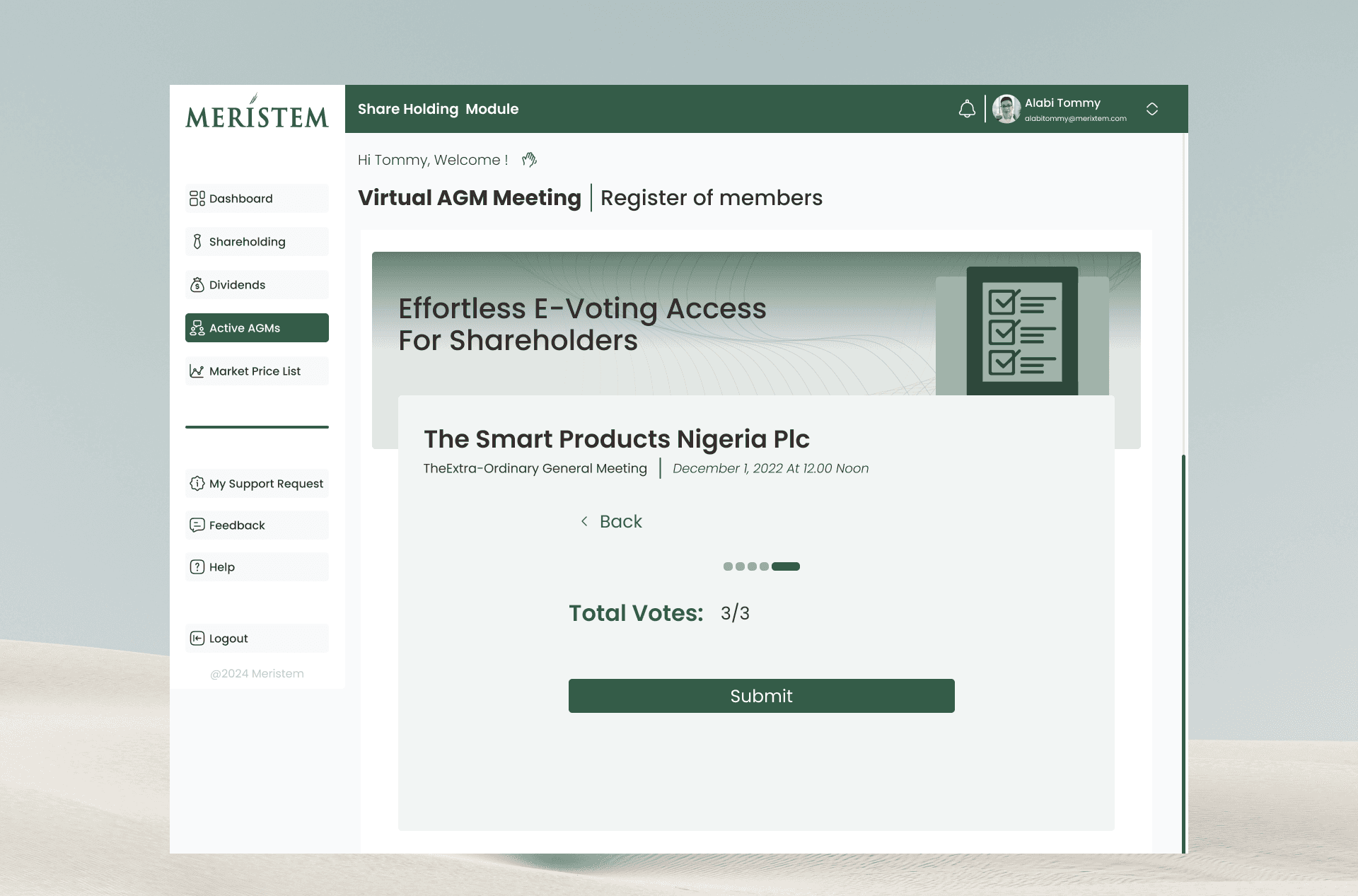
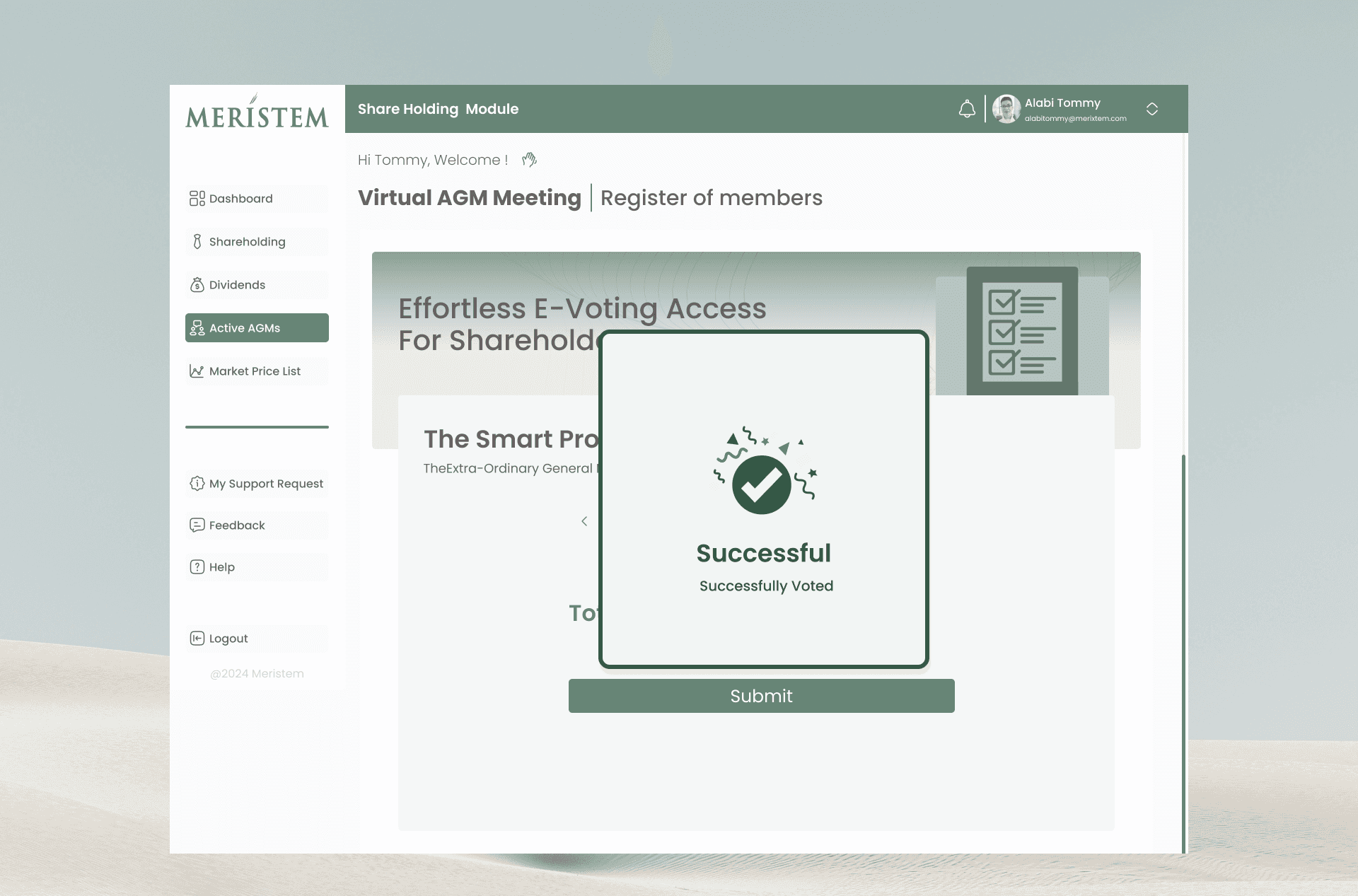
The e-Voting functionality in the Shareholder Module follows a specific sequence tied to accreditation:
1. Access: The shareholder selects the e-VOTING menu.
2. Eligibility Check: Voting through the app is only possible if the shareholder has been accredited physically.
3. Meeting List: Upon accessing the menu, a list of active meetings is displayed.
4. Validation: Selecting a specific meeting confirms if the shareholder is a member of that company.
5. Voting Interface: If eligible, the system lists the resolutions with radio buttons allowing the choice of YES/NO/Abstain,.
6. Quick Access: Accredited shareholders also receive a push notification to provide quick access to e-voting when a resolution is enabled.
Mobile Table Strategy
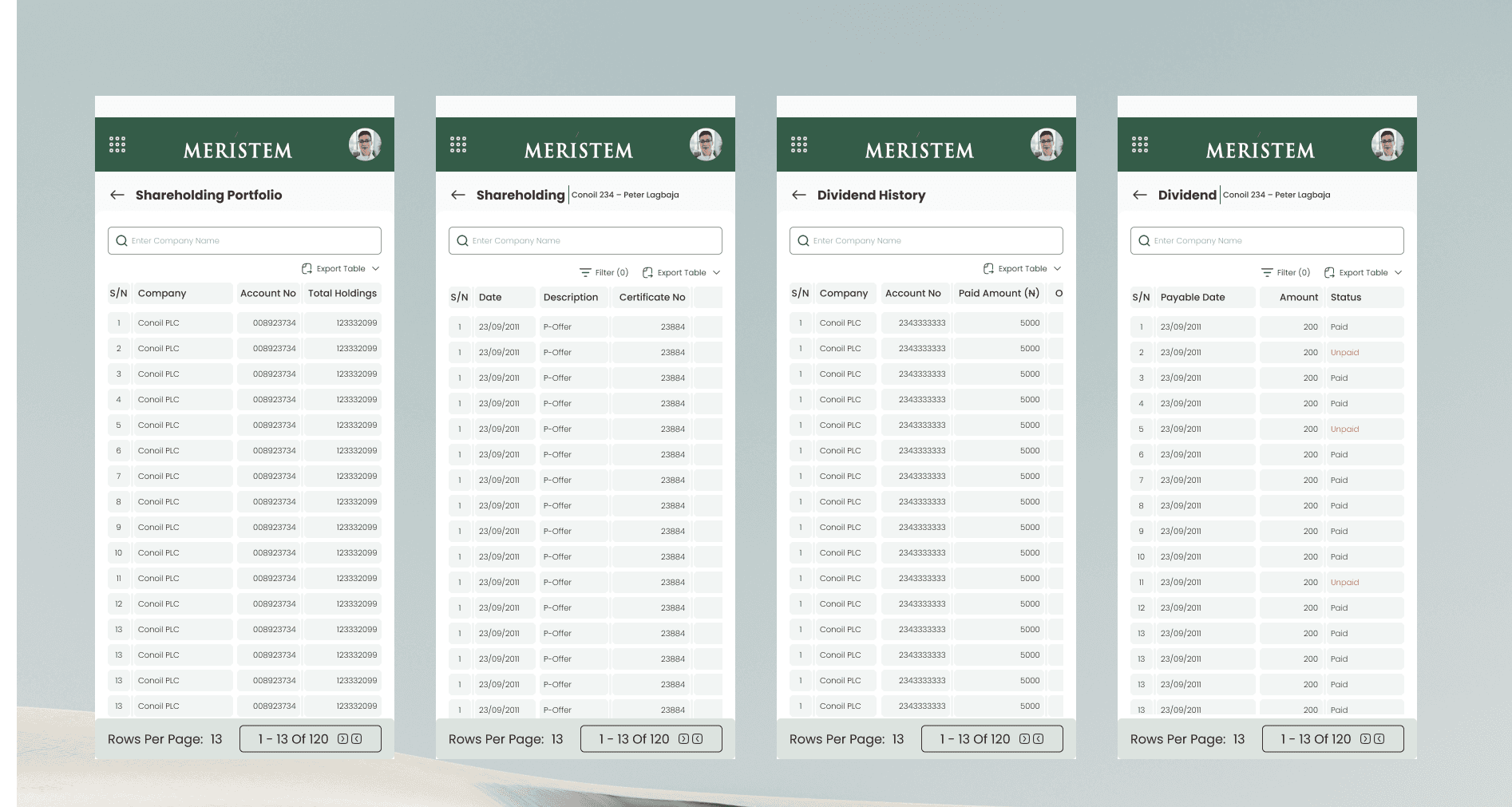
Financial tables do not shrink gracefully on mobile — pretending they do creates errors.
For mobile, I adopted a Sliding / Horizontally Scrollable Table pattern, which is the most reliable approach for wide datasets.
Design considerations:
Fixed first column (Company / Account) to anchor context
Horizontal swipe to reveal secondary data
Clear visual affordance that the table is scrollable
Touch-friendly row height to prevent mis-taps
This preserves data integrity while respecting mobile constraints, rather than hiding columns or oversimplifying critical information.
The goal was not to make mobile feel identical to desktop, but to make it equally trustworthy.
Conclusion
The same principles — data-first layouts, predictable tables, visible security, and role-based clarity — scale seamlessly into the other modules:
Company Secretary Module – Analytics-led dashboards and compliance-focused reporting
Stockbroker Module – Batch lodgment creation, status tracking, and correction workflows
Custodian Module – Portfolio-level reporting with CHN- and date-based views
Administrator (Registrar) Module – Account control, approvals, bulk processing, and feedback intelligence
Each module reuses the same interaction patterns and table logic, minimizing relearning while supporting very different operational goals.
This project reflects how I approach enterprise UX:
Accuracy before aesthetics
Tables and workflows as first-class UX
Security as clarity, not friction
Systems that scale across roles without fragmenting the experience
The result isn’t just a usable interface — it’s a coherent product system built for real financial operations at scale.
Additional modules and deeper flows are available on request.